Part 2 Chapter I Debut
Last updated 2025-05-31
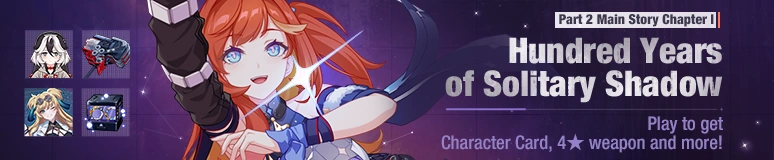

Part 2 Main Story Chapter I: Hundred Years of Solitary Shadow released! The exploration team members will embark on a new journey to discover new areas, solve puzzles, defeat enemies, and grow stronger!
Complete the main story missions to get  Valkyrie Blastmetal Character Card, 4★ Rocket Hammer Blast Hammer: Blazing Red, 4★ event stigma Songque: Fear Gathering (M),
  Crystals,
  Ancient Assist Gift Box 2024,
  Growth Assist Gift Box 2024,
  Valkyrie Boltstorm Fragments,
  Valkyrie Blastmetal Fragments,
  Honkai Impact 3rd Anniversary Frame Gift Box and other rewards!
Time
After the v7.3 update ~ 04:00, APR 25
Required Level
30 or higher
Details
- The main story will be released over 3 phases. The schedule is as follows:
- Phase 1: After the v7.3 update
- Phase 2: 10:00, MAR 7
- Phase 3: 10:00, MAR 14
Exploration Mode Info
After entering Part 2 Main Story, you can explore the map freely as your character. You can obtain chapter rewards and increase your exploration level and progress by collecting items, solving puzzles, and defeating enemies. Aside from exploration, the Fear Gathering system and new challenges will be available over time.
Fear Gathering System
During your exploration, you can unlock the Fear Gathering system, activating Gadget: Shadow Major and Gadget: Shadow Remnant. Improving your Gadget: Shadow Major level will enhance your map exploration efficiency, while Gadget: Shadow Remnant boosts your combat performance in the main story exploration.
New Challenges
- The new challenge modes Dream of Loss, Data Turbulence and Sea Mirage will be available over time.
- Play Dream of Loss and Data Turbulence to get materials used to upgrade your characters' exploration and combat abilities.
- Participate in the Sea Mirage to get Crystals, collectable item
 Streamers of Starlight, various Creature Aspects and more!
Event Rewards
- Play the main story to get collectable item Streamers of Starlight.
- Accumulate enough Streamers of Starlight to get Valkyrie Blastmetal Character Card, 4★ Rocket Hammer Blast Hammer: Blazing Red, 4★ event stigma Songque: Fear Gathering (M), Crystals, Valkyrie Boltstorm Fragments, Valkyrie Blastmetal Fragments,
 Energy Devices and more on the Chapter Rewards screen.
 - On the Departing for Luoxing event panel, you can claim Ancient Assist Gift Box 2024, Growth Assist Gift Box 2024, Honkai Impact 3rd Anniversary Frame Gift Box and
 Advanced Skill Materials.
More Info
With the launch of Part 2 Main Story, some features will also be added in-game to improve your exploration experience.
Lineup and Character Switch
- In the lineup screen at the top right of the sandbox exploration main screen, you can edit your exploration team and AstralOp.
- When in Oxia: Antares Building or Amber Street, you can quickly switch the controlled character to an AstralOp or team member by tapping the switch button above the jump button at the bottom right of the screen.
Bridge Character and Background Switch
- After entering Part 2 Main Story Chapter I: Hundred Years of Solitary Shadow, the main screen's background will automatically switch to the new scene, Oxia: Antares Building. The main screen character and visuals will change according to the currently controlled character and location.
- Tap your nickname at the upper left of the bridge screen to access the account summary screen. Tap the "Change Bridge" button at the bottom left corner to choose from all owned themes and apply it.
Keyboard and Mouse Mode and Controls Switch
- After the 7.3 update, there's a whole new way to play on the PC client: Keyboard and Mouse. You will be able to choose your favorite control mode from Controller, Keyboard and Mouse, and Keyboard.
- Moreover, in the Settings - Key Position screen, you can choose between two key presets to swap the Ultimate and Jump buttons.
Ai-chan's Reminders
- Some of the rewards are only available for a limited time, so please claim them within the time limit of the main story chapter event.
- In special missions and at Home, the character you control will automatically switch to the one specified by the story, or
 Dreamseeker. Meanwhile, your Bridge character will remain unchanged!