Tutorial/Dream's Eye (I)
Last updated 2026-04-20
Main article: Dream's Eye
 Activating the Dream's Eye allows you to switch to the Dreamweaver's View. In this mode, disconnected paths or those with height discrepancies will be connected in an incredible way.
Activating the Dream's Eye allows you to switch to the Dreamweaver's View. In this mode, disconnected paths or those with height discrepancies will be connected in an incredible way.
 (TapTap/PressPress/ClickClick) this button to switch between Monitor Mode and Action Mode. Monitor Mode provides additional information about the scene, while Action Mode grants character movement and interaction.
(TapTap/PressPress/ClickClick) this button to switch between Monitor Mode and Action Mode. Monitor Mode provides additional information about the scene, while Action Mode grants character movement and interaction.
 In the Dreamweaver's View, your character's movement is limited within the screen boundaries. To move beyond these boundaries, you need to deactivate the Dream's Eye.
In the Dreamweaver's View, your character's movement is limited within the screen boundaries. To move beyond these boundaries, you need to deactivate the Dream's Eye.
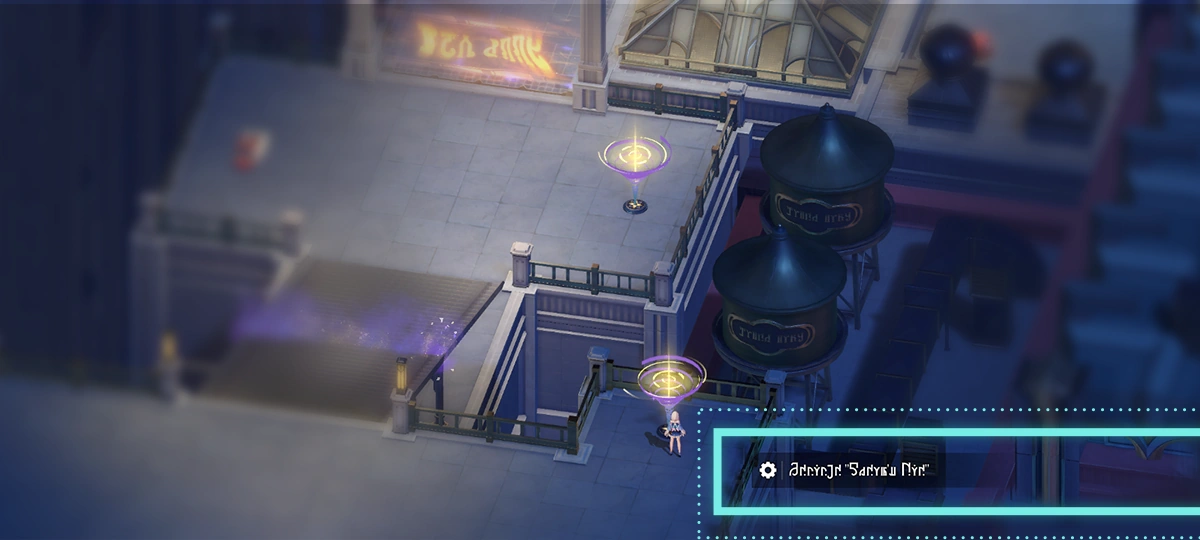 Interact with the Dream's Eye to enter or exit the Dreamweaver's View.
Interact with the Dream's Eye to enter or exit the Dreamweaver's View.
 To quickly deactivate the Dream's Eye, (taptap/presspress/clickclick) the minimap in the upper left corner to open the world map and teleport to an activated Space Anchor.
To quickly deactivate the Dream's Eye, (taptap/presspress/clickclick) the minimap in the upper left corner to open the world map and teleport to an activated Space Anchor.