Tutorial/West Wind Compass
Last updated 2026-02-07
Main article: West Wind Compass
 Observe the starting point, finish point, the direction of the arrow on the compass, and the distribution of red obstacles. Rotate the rings on the compass to reach the finish point without running into obstacles by following the arrow's directions upon leaving the starting point.
Observe the starting point, finish point, the direction of the arrow on the compass, and the distribution of red obstacles. Rotate the rings on the compass to reach the finish point without running into obstacles by following the arrow's directions upon leaving the starting point.
 The red fan-shaped zone represents obstacles that block the path, and the route cannot pass through them. Be sure to avoid them when connecting the route.
The red fan-shaped zone represents obstacles that block the path, and the route cannot pass through them. Be sure to avoid them when connecting the route.
 Use the Select button to choose a specific ring, and use the Rotate button to turn it. When a route has been connected, a hint will appear on the compass. Tap the Confirm Route button to finalize your route.
Use the Select button to choose a specific ring, and use the Rotate button to turn it. When a route has been connected, a hint will appear on the compass. Tap the Confirm Route button to finalize your route.
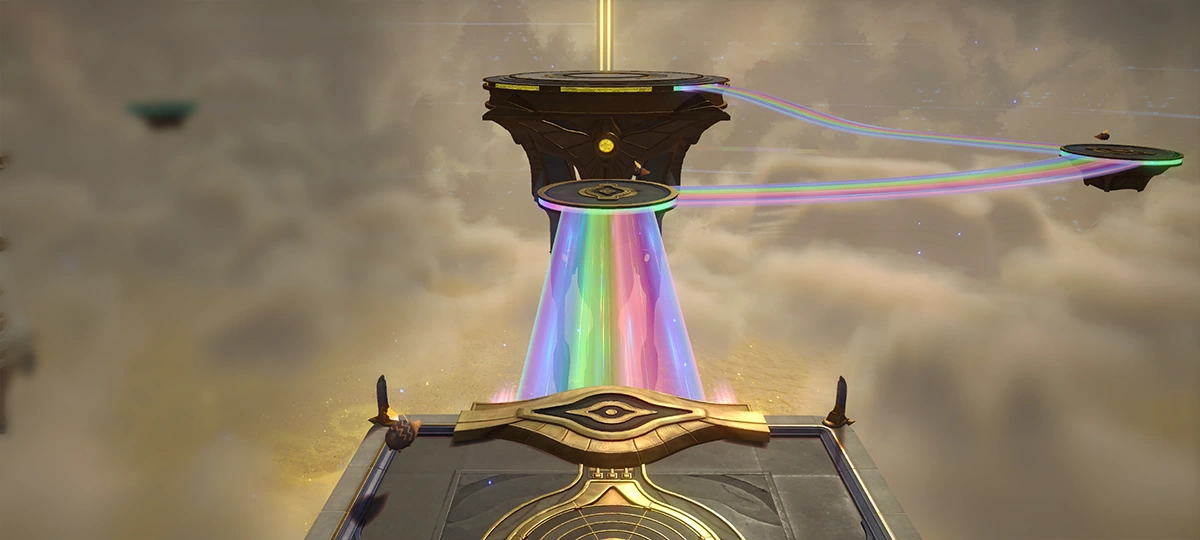 After confirming a route on the compass, a mechanism will be triggered. A rainbow path will be added to the map according to the specified state of the compass.
After confirming a route on the compass, a mechanism will be triggered. A rainbow path will be added to the map according to the specified state of the compass.
 If there are treasure icons on the connected route, you can obtain them by traveling to their corresponding positions in the location. There are multiple ways to connect routes with a single compass, but there's normally only one type of route that passes through all the treasures. Interact with the compass again to edit the route.
If there are treasure icons on the connected route, you can obtain them by traveling to their corresponding positions in the location. There are multiple ways to connect routes with a single compass, but there's normally only one type of route that passes through all the treasures. Interact with the compass again to edit the route.