Tutorial/Interplanar Jump!
Last updated 2026-03-14
There are 55 tutorials that focus on Interplanar Jump!:
| Interplanar Jump! |
|---|
Main article: Interplanar Jump!  In "Interplanar Jump!," you can transform into different forms of Trailblazemon and experience all kinds of fun content. Of course, there are also various rewards in "Interplanar Jump!" just waiting to be claimed. In "Interplanar Jump!," you can transform into different forms of Trailblazemon and experience all kinds of fun content. Of course, there are also various rewards in "Interplanar Jump!" just waiting to be claimed.In "Interplanar Jump!," you can transform into different forms of Trailblazemon and experience all kinds of fun content. Of course, there are also various rewards in "Interplanar Jump!" just waiting to be claimed. |
| Jump |
Main article: Interplanar Jump!  In "Interplanar Jump!," (tap the jump buttontap the jump button/hit the jump button or press the space barhit the jump button or press the space bar) to jump. While airborne, (taptap/hithit) the jump button again to perform multi-jumps. In "Interplanar Jump!," (tap the jump buttontap the jump button/hit the jump button or press the space barhit the jump button or press the space bar) to jump. While airborne, (taptap/hithit) the jump button again to perform multi-jumps.In "Interplanar Jump!," (tap the jump buttontap the jump button/hit the jump button or press the space barhit the jump button or press the space bar) to jump. While airborne, (taptap/hithit) the jump button again to perform multi-jumps. Jumping consumes Jump Energy, which can be recovered in various ways, but typically, all Jump Energy is restored once you land safely.Jumping consumes Jump Energy, which can be recovered in various ways, but typically, all Jump Energy is restored once you land safely. |
| Permanently increases the number of jumps (Triple Jump) |
Main article: Interplanar Jump!  Permanently increases Jump Energy cap to three bars in "Interplanar Jump!," allowing for a triple jump. Permanently increases Jump Energy cap to three bars in "Interplanar Jump!," allowing for a triple jump.Permanently increases Jump Energy cap to three bars in "Interplanar Jump!," allowing for a triple jump. |
| Cling & Cancel |
Main article: Interplanar Jump!  Normally, in "Interplanar Jump!," when moving toward the side of a platform while airborne and make contact with it, you'll enter a clinging state, sticking to the platform's side without falling. Normally, in "Interplanar Jump!," when moving toward the side of a platform while airborne and make contact with it, you'll enter a clinging state, sticking to the platform's side without falling.Normally, in "Interplanar Jump!," when moving toward the side of a platform while airborne and make contact with it, you'll enter a clinging state, sticking to the platform's side without falling. (TapTap/PressPress/ClickClick) "Down" to cancel the clinging state and drop off the side of the platform.(TapTap/PressPress/ClickClick) "Down" to cancel the clinging state and drop off the side of the platform. |
| Cling Jump and Wallkick Jump |
Main article: Interplanar Jump!  Cling Jump: Upward Jump. While in the clinging state, jumping in the direction of the clung platform will cause you to jump upward and consume Jump Energy. Cling Jump: Upward Jump. While in the clinging state, jumping in the direction of the clung platform will cause you to jump upward and consume Jump Energy.Cling Jump: Upward Jump. While in the clinging state, jumping in the direction of the clung platform will cause you to jump upward and consume Jump Energy. Wallkick Jump. While adhering to the wall or in the clinging state, jumping will cause you to jump sideways without consuming Jump Energy.Wallkick Jump. While adhering to the wall or in the clinging state, jumping will cause you to jump sideways without consuming Jump Energy. |
| Form Shift |
Main article: Interplanar Jump!  In "Interplanar Jump!," Trailblazemon has multiple forms, each possesses special abilities that can be enhanced by collecting items for stronger effects. In "Interplanar Jump!," Trailblazemon has multiple forms, each possesses special abilities that can be enhanced by collecting items for stronger effects.In "Interplanar Jump!," Trailblazemon has multiple forms, each possesses special abilities that can be enhanced by collecting items for stronger effects. Before entering "Interplanar Jump!," you can check the markers on the Dimensional Wall to see which form this "Interplanar Jump!" corresponds to.Before entering "Interplanar Jump!," you can check the markers on the Dimensional Wall to see which form this "Interplanar Jump!" corresponds to. |
| Form Switch: Bow |
Main article: Interplanar Jump! When Trailblazemon are in Bow Form, (taptap/presspress/clickclick) the ability button to shoot arrows.When Trailblazemon are in Bow Form, (taptap/presspress/clickclick) the ability button to shoot arrows. Arrows can interact with most special objects in "Interplanar Jump!" (such as levers, Pixcoins, Hedgehogae, Cloudae, etc.) to produce different results.Arrows can interact with most special objects in "Interplanar Jump!" (such as levers, Pixcoins, Hedgehogae, Cloudae, etc.) to produce different results. |
| Form Switch: Bow Upgrade |
Main article: Interplanar Jump!  An item in "Interplanar Jump!" that transforms the arrow shots in Bow Form into plungers for the duration of that Interplanar Jump! run. An item in "Interplanar Jump!" that transforms the arrow shots in Bow Form into plungers for the duration of that Interplanar Jump! run.An item in "Interplanar Jump!" that transforms the arrow shots in Bow Form into plungers for the duration of that Interplanar Jump! run. Plungers can be attached to the sides of certain platforms and will move along with them. Its original bow and arrow effect remains unchanged.Plungers can be attached to the sides of certain platforms and will move along with them. Its original bow and arrow effect remains unchanged. |
| Monitor Mode |
Main article: Interplanar Jump! (Keyboard) In "Interplanar Jump!," you can drag the screen with your mouse in Keyboard and Mouse Mode to view a wider area and gather more intel. In "Interplanar Jump!," you can drag the screen with your mouse in Keyboard and Mouse Mode to view a wider area and gather more intel.In "Interplanar Jump!," you can drag the screen with your mouse in Keyboard and Mouse Mode to view a wider area and gather more intel. 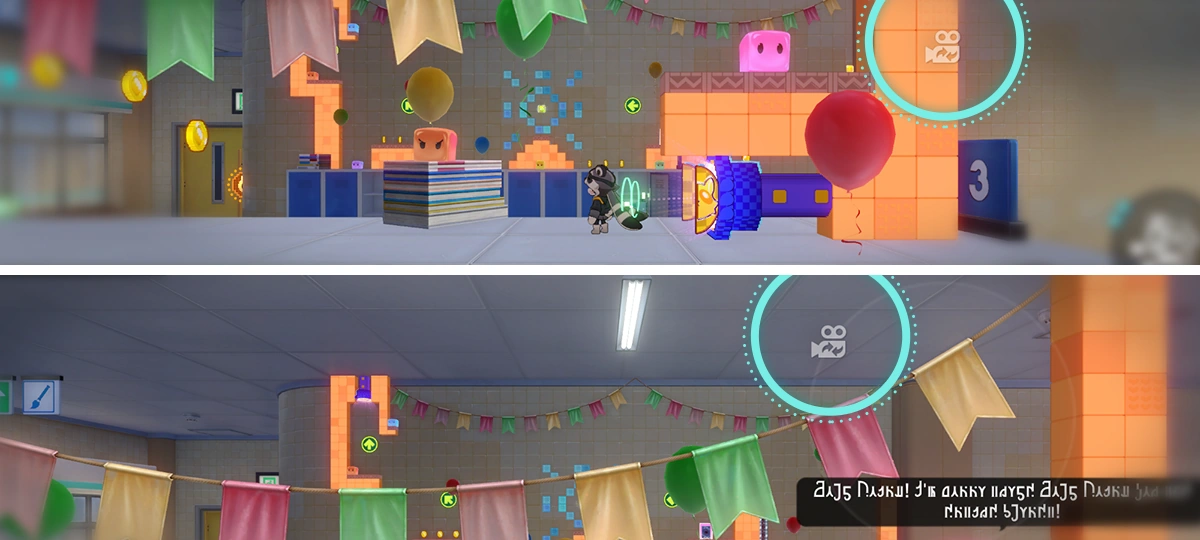 In "Interplanar Jump!," when using touchscreen controls, you can drag the Monitor Button to survey a wider area and gather more intel. In "Interplanar Jump!," when using touchscreen controls, you can drag the Monitor Button to survey a wider area and gather more intel.In "Interplanar Jump!," when using touchscreen controls, you can drag the Monitor Button to survey a wider area and gather more intel. In "Interplanar Jump!," when using Controller Mode, drag the right stick to survey a wider area and gather more intel.In "Interplanar Jump!," when using Controller Mode, drag the right stick to survey a wider area and gather more intel. |
| Form Switch: Servitor Mode |
Main article: Interplanar Jump!  When Trailblazemon is in Servitor Mode, (taptap/presspress/clickclick) the ability button to summon a HelpBot beneath you and move with it. When Trailblazemon is in Servitor Mode, (taptap/presspress/clickclick) the ability button to summon a HelpBot beneath you and move with it.When Trailblazemon is in Servitor Mode, (taptap/presspress/clickclick) the ability button to summon a HelpBot beneath you and move with it. Trailblazemon can leave the HelpBot on its own. Additionally, the HelpBot can interact in different ways with most special objects in "Interplanar Jump!" (such as pressure-sensitive buttons, Pixcoins, Waldundun & PiPinTuns, etc.).Trailblazemon can leave the HelpBot on its own. Additionally, the HelpBot can interact in different ways with most special objects in "Interplanar Jump!" (such as pressure-sensitive buttons, Pixcoins, Waldundun & PiPinTuns, etc.). |
| Form Switch: Servitor Upgrade |
Main article: Interplanar Jump!  An item in Interplanar Jump!. Once obtained, the HelpBot in Servitor Mode gains a Trampoline function for that round of Interplanar Jump! When a Trailblazemon jumps while standing on the upgraded Mechanical Helper, jump height is increased. An item in Interplanar Jump!. Once obtained, the HelpBot in Servitor Mode gains a Trampoline function for that round of Interplanar Jump! When a Trailblazemon jumps while standing on the upgraded Mechanical Helper, jump height is increased.An item in Interplanar Jump!. Once obtained, the HelpBot in Servitor Mode gains a Trampoline function for that round of Interplanar Jump! When a Trailblazemon jumps while standing on the upgraded Mechanical Helper, jump height is increased. |
| Bizarre Melody |
Main article: Interplanar Jump! 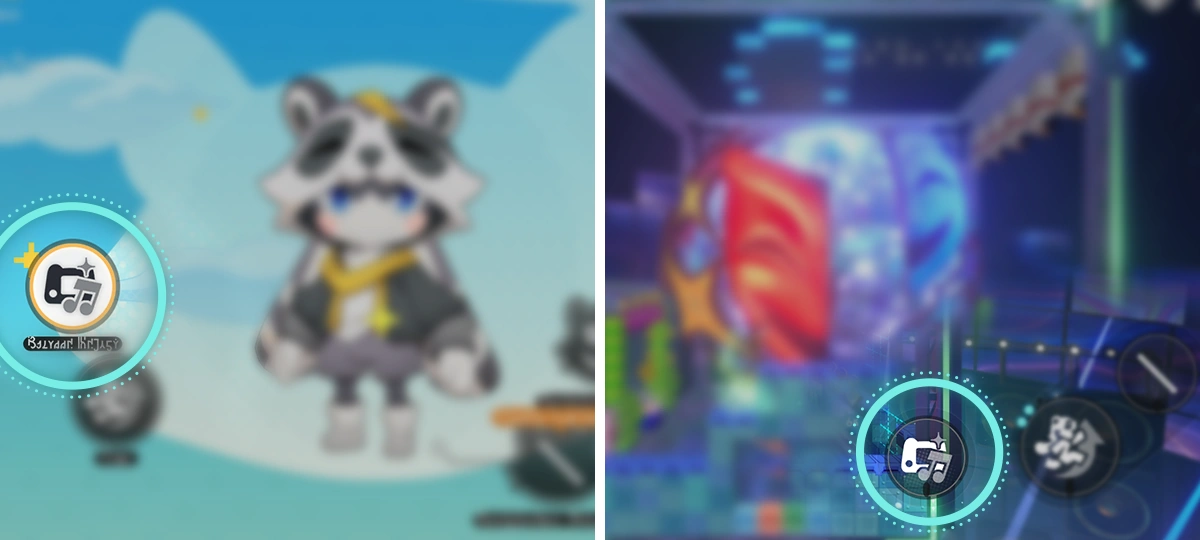 During "Interplanar Jump!" gameplay, players can open the Bizarre Melody at any time and perform. If the performance matches a score, unexpected effects will be triggered, and the score will be automatically collected into "Music Scores Collected." During "Interplanar Jump!" gameplay, players can open the Bizarre Melody at any time and perform. If the performance matches a score, unexpected effects will be triggered, and the score will be automatically collected into "Music Scores Collected."During "Interplanar Jump!" gameplay, players can open the Bizarre Melody at any time and perform. If the performance matches a score, unexpected effects will be triggered, and the score will be automatically collected into "Music Scores Collected." 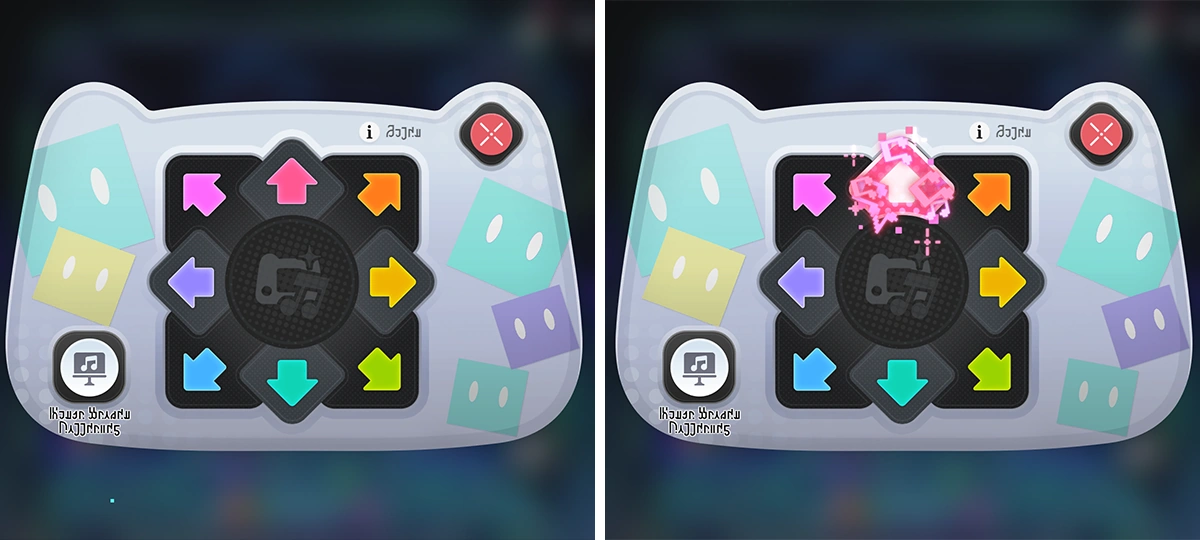 Players can perform using the eight directional buttons in the interface, or (taptap/presspress/clickclick) "Music Scores Collected" to view the scores collected in-game and quick play them. Players can perform using the eight directional buttons in the interface, or (taptap/presspress/clickclick) "Music Scores Collected" to view the scores collected in-game and quick play them.Players can perform using the eight directional buttons in the interface, or (taptap/presspress/clickclick) "Music Scores Collected" to view the scores collected in-game and quick play them. 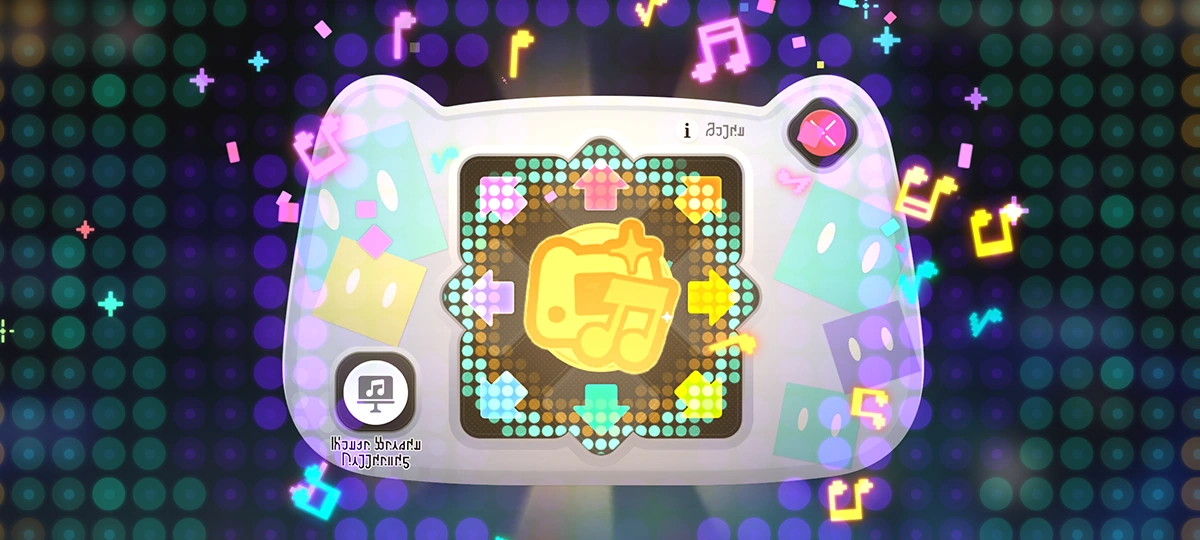 In the worlds affected by "Interplanar Jump!," there are hidden scores composed of special sequences that you'll need to discover through various means. Whether or not you actually find the scores in-game, you can trigger their effects as long as you play these special scores correctly within Bizarre Melody. In the worlds affected by "Interplanar Jump!," there are hidden scores composed of special sequences that you'll need to discover through various means. Whether or not you actually find the scores in-game, you can trigger their effects as long as you play these special scores correctly within Bizarre Melody.In the worlds affected by "Interplanar Jump!," there are hidden scores composed of special sequences that you'll need to discover through various means. Whether or not you actually find the scores in-game, you can trigger their effects as long as you play these special scores correctly within Bizarre Melody. |
| Crouch |
Main article: Interplanar Jump! 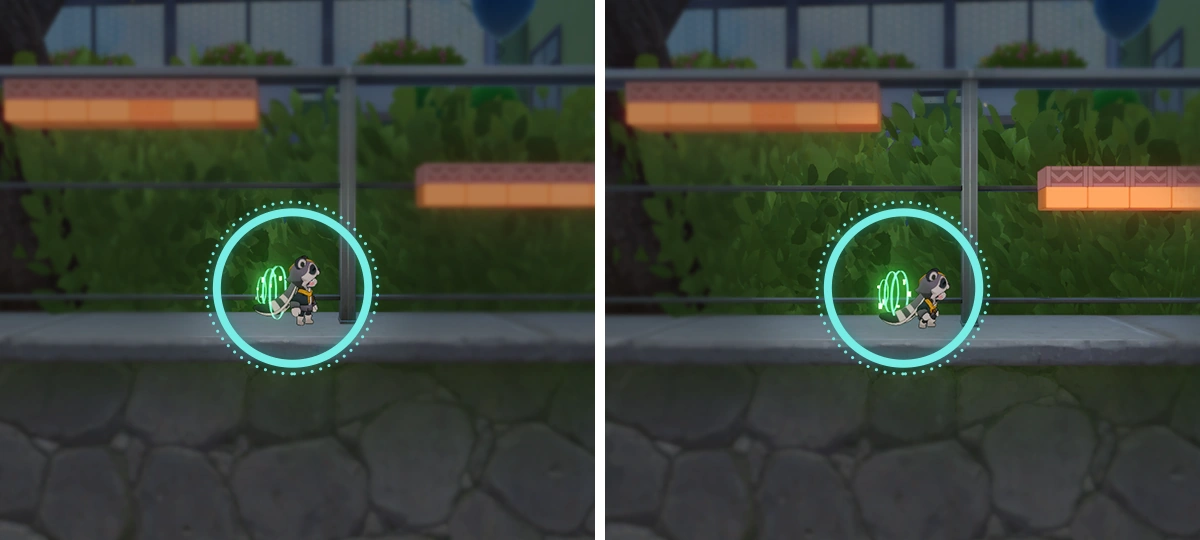 In "Interplanar Jump!," hold "Down" to crouch. While crouching, Trailblazemon can dodge certain special hazards in "Interplanar Jump!." In "Interplanar Jump!," hold "Down" to crouch. While crouching, Trailblazemon can dodge certain special hazards in "Interplanar Jump!."In "Interplanar Jump!," hold "Down" to crouch. While crouching, Trailblazemon can dodge certain special hazards in "Interplanar Jump!." |
| Quick Trailblaze |
Main article: Interplanar Jump! 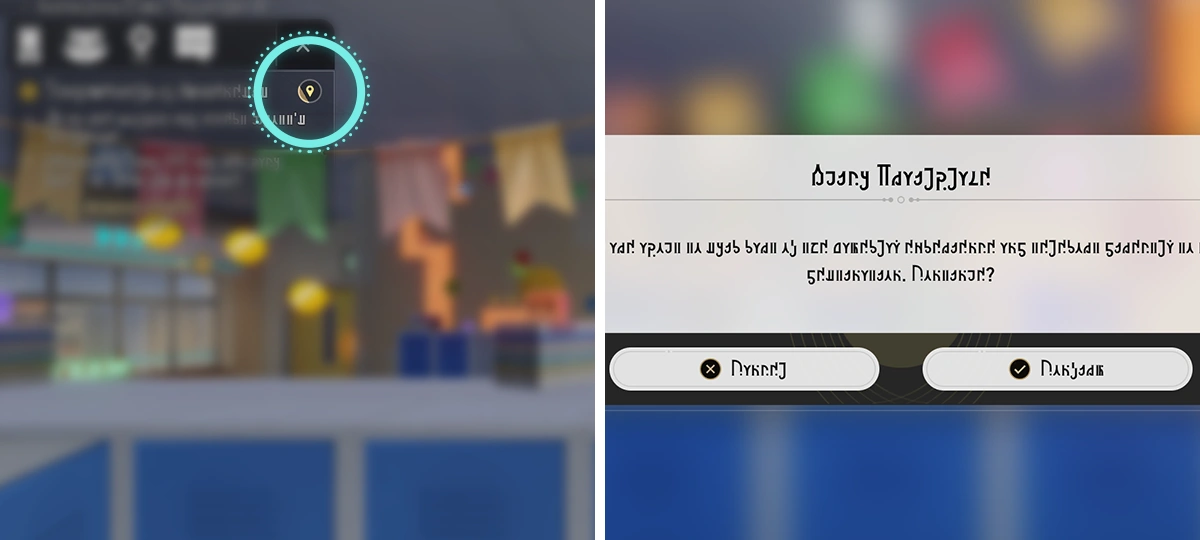 While progressing a Trailblaze Mission or Trailblaze Continuance, certain "Interplanar Jump!" locations offer a Quick Trailblaze feature. While progressing a Trailblaze Mission or Trailblaze Continuance, certain "Interplanar Jump!" locations offer a Quick Trailblaze feature.While progressing a Trailblaze Mission or Trailblaze Continuance, certain "Interplanar Jump!" locations offer a Quick Trailblaze feature. If you haven't been able to complete an "Interplanar Jump!" after a while, the "Quick Trailblaze" button will appear. (TapTap/PressPress/ClickClick) the button to skip some content and teleport directly to your destination. Note: Using Quick Trailblaze will cause you to miss some experiences, so use it with caution.If you haven't been able to complete an "Interplanar Jump!" after a while, the "Quick Trailblaze" button will appear. (TapTap/PressPress/ClickClick) the button to skip some content and teleport directly to your destination. Note: Using Quick Trailblaze will cause you to miss some experiences, so use it with caution. |
| Projection Tutorial |
Main article: Interplanar Jump! 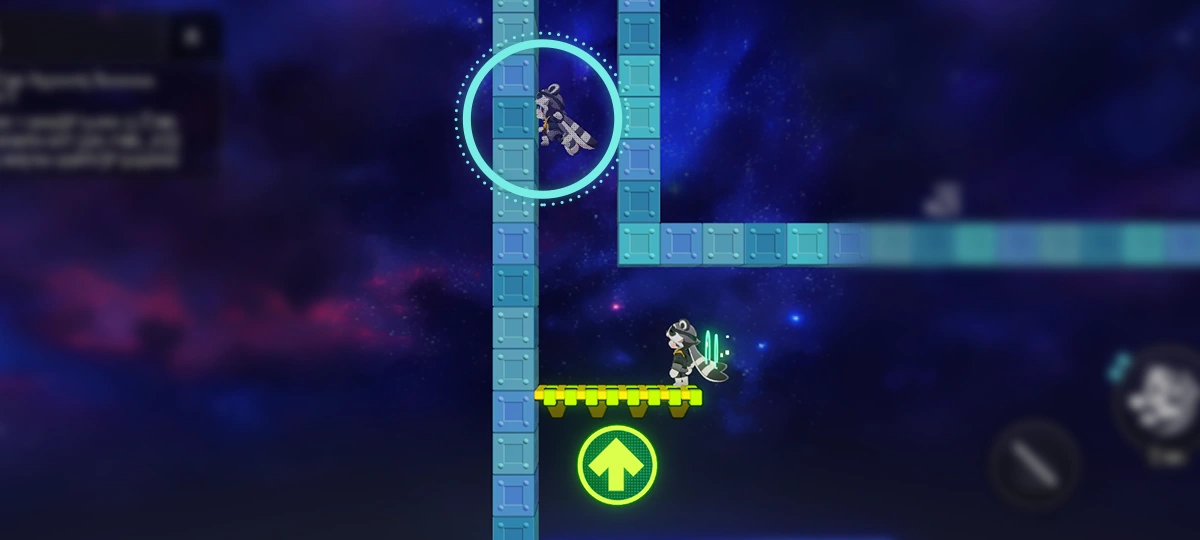 In "Interplanar Jump!," certain areas feature projections of Trailblazemon. Carefully observing the projections' behavior may help you complete the "Interplanar Jump!" challenge. In "Interplanar Jump!," certain areas feature projections of Trailblazemon. Carefully observing the projections' behavior may help you complete the "Interplanar Jump!" challenge.In "Interplanar Jump!," certain areas feature projections of Trailblazemon. Carefully observing the projections' behavior may help you complete the "Interplanar Jump!" challenge. |
| Slice of Arcadian Life |
Main article: Interplanar Jump! 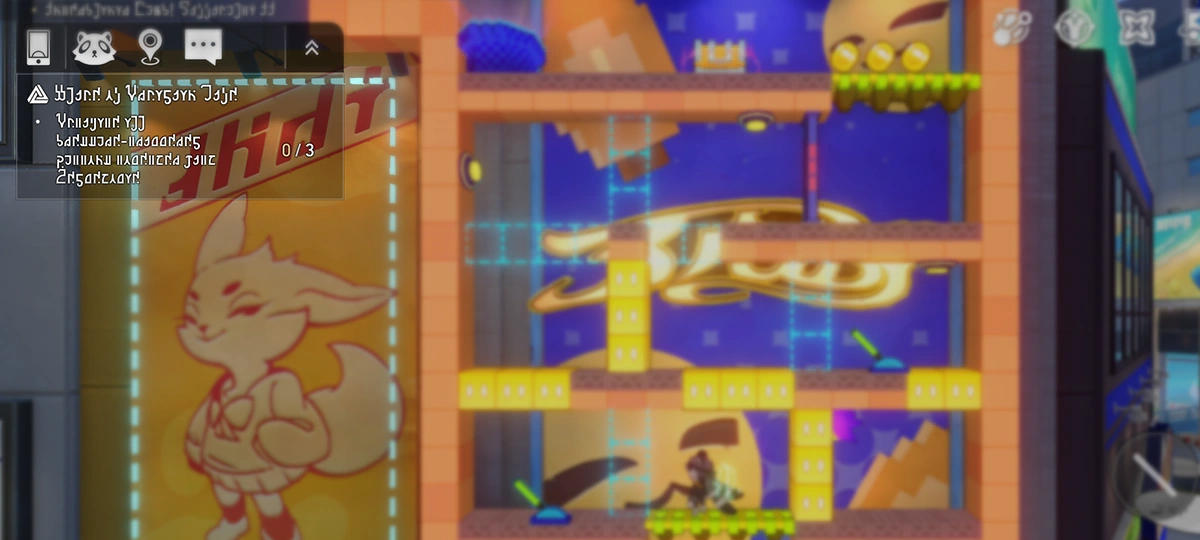 There are some mini challenge games in "Interplanar Jump!." Complete them to earn rewards. There are some mini challenge games in "Interplanar Jump!." Complete them to earn rewards.There are some mini challenge games in "Interplanar Jump!." Complete them to earn rewards. |
| Shapeshifting Furbo 2 |
Main article: Interplanar Jump! 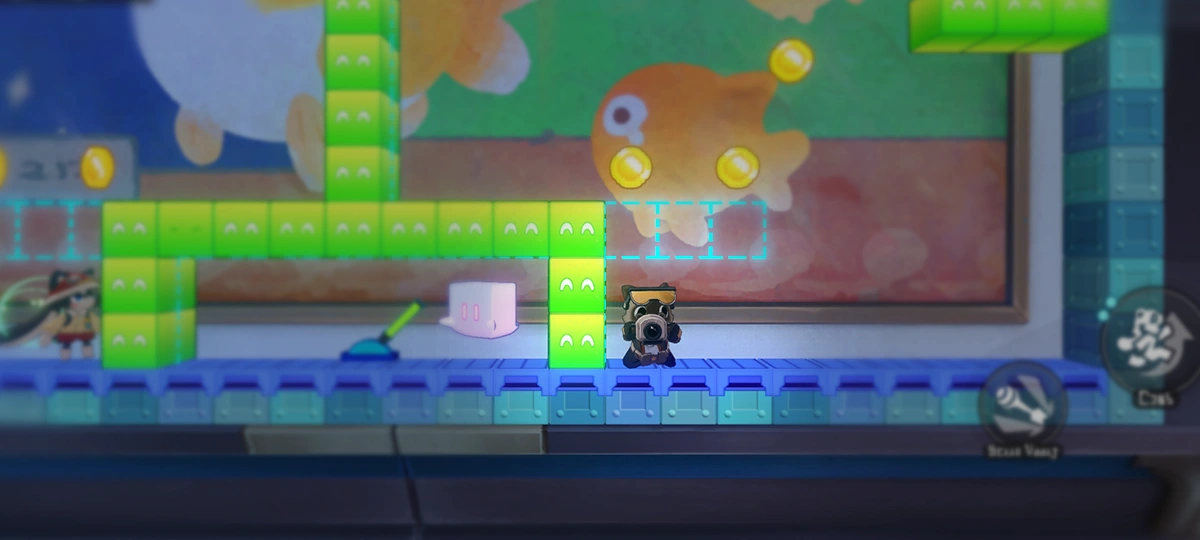 The furbo journalists from Furbobo Weekly are slacking off on the job? That won't do! Round up these little rascals and give them a good "talking-to"! The furbo journalists from Furbobo Weekly are slacking off on the job? That won't do! Round up these little rascals and give them a good "talking-to"!The furbo journalists from Furbobo Weekly are slacking off on the job? That won't do! Round up these little rascals and give them a good "talking-to"! 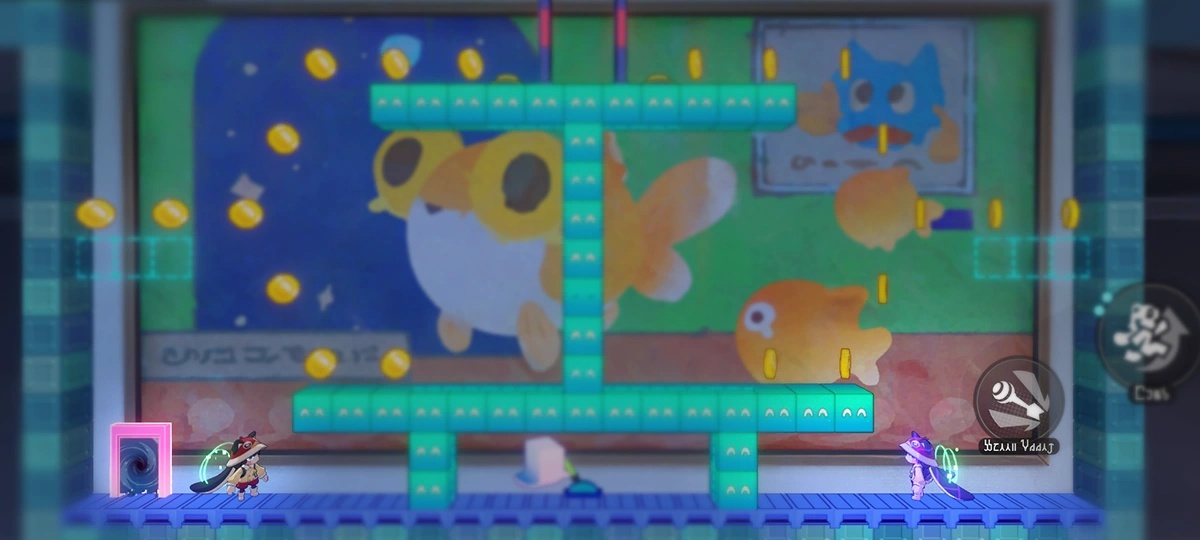 The furbo journalists will use "Turbo furbo, transform!" to turn into the president's doppelgangers, mimicking your every move in reverse to make their escape. The furbo journalists will use "Turbo furbo, transform!" to turn into the president's doppelgangers, mimicking your every move in reverse to make their escape.The furbo journalists will use "Turbo furbo, transform!" to turn into the president's doppelgangers, mimicking your every move in reverse to make their escape. 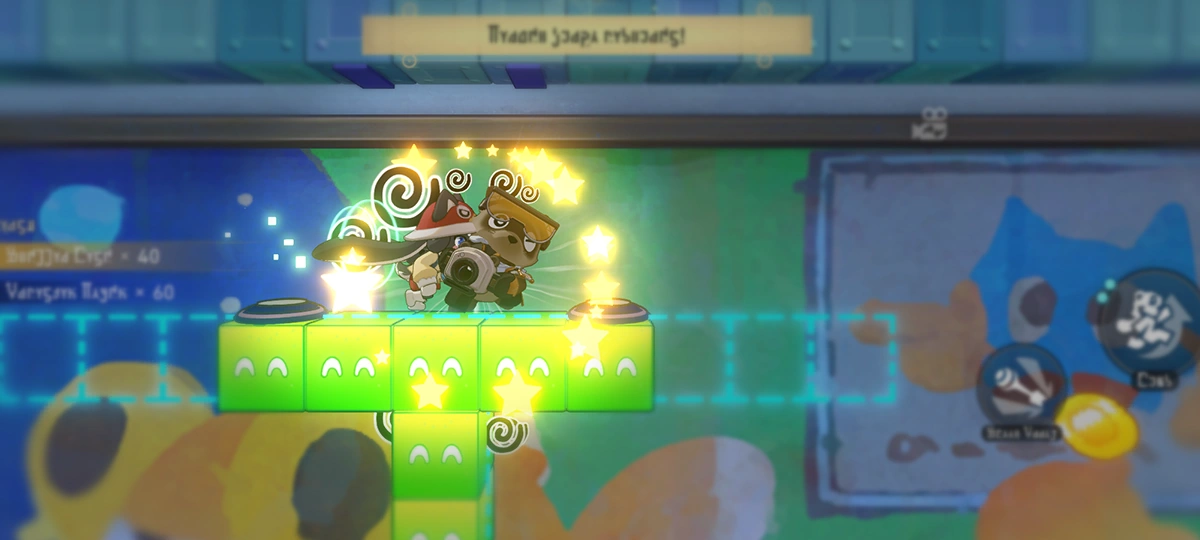 Find a way to get close to your "fake self." Once you make contact, the furbo journalists will reveal their true form! After that, how you "educate" them is totally up to you. Find a way to get close to your "fake self." Once you make contact, the furbo journalists will reveal their true form! After that, how you "educate" them is totally up to you.Find a way to get close to your "fake self." Once you make contact, the furbo journalists will reveal their true form! After that, how you "educate" them is totally up to you. |
| Aesthetic Window |
Main article: Interplanar Jump!  Modules enclosed by "Aesthetic Window" can swap positions in the Window Control mode. Interact with the Starter to enter Window Control mode. Modules enclosed by "Aesthetic Window" can swap positions in the Window Control mode. Interact with the Starter to enter Window Control mode.Modules enclosed by "Aesthetic Window" can swap positions in the Window Control mode. Interact with the Starter to enter Window Control mode. Hold and drag the frame to swap the window position. (TapTap/PressPress/ClickClick) the Return button to exit Window Control mode.Hold and drag the frame to swap the window position. (TapTap/PressPress/ClickClick) the Return button to exit Window Control mode. |
| Reflection in the Water |
Main article: Interplanar Jump!  In "Interplanar Jump!," there are special water surfaces. Some special imagenae (such as platforms with "eyes") will appear in the water's reflection, where Trailblazemon can "stand on" and use them to explore more areas. In "Interplanar Jump!," there are special water surfaces. Some special imagenae (such as platforms with "eyes") will appear in the water's reflection, where Trailblazemon can "stand on" and use them to explore more areas.In "Interplanar Jump!," there are special water surfaces. Some special imagenae (such as platforms with "eyes") will appear in the water's reflection, where Trailblazemon can "stand on" and use them to explore more areas. |
| Mech Assembly |
Main article: Interplanar Jump!  As part of the mech assembly project brought to you by Pearluxe Corp, you will be tasked with installing the arms, shoulder guards, and the Daybreak Blade, a custom-engineered weapon designed for the giant mech armor. As part of the mech assembly project brought to you by Pearluxe Corp, you will be tasked with installing the arms, shoulder guards, and the Daybreak Blade, a custom-engineered weapon designed for the giant mech armor.As part of the mech assembly project brought to you by Pearluxe Corp, you will be tasked with installing the arms, shoulder guards, and the Daybreak Blade, a custom-engineered weapon designed for the giant mech armor. Please follow all instructions during your session. Utilize the detonator to remove parts from the frame, then engage the mechanical arms to lock each piece into place.Please follow all instructions during your session. Utilize the detonator to remove parts from the frame, then engage the mechanical arms to lock each piece into place. Word has it that to make the trip unforgettable for the Nameless, the corporation has included a thrilling new feature following the assembly phase. What could it be...? The anticipation is palpable!Word has it that to make the trip unforgettable for the Nameless, the corporation has included a thrilling new feature following the assembly phase. What could it be...? The anticipation is palpable! |
| Meanie Kiddie (Toon Ver.) |
Main article: Interplanar Jump!  The Meanie Kiddie will emerge from the screen and go On the Heels of the Trailblazemon to attack. Once it stops, move quickly to dodge the follow-up strike! The Meanie Kiddie will emerge from the screen and go On the Heels of the Trailblazemon to attack. Once it stops, move quickly to dodge the follow-up strike!The Meanie Kiddie will emerge from the screen and go On the Heels of the Trailblazemon to attack. Once it stops, move quickly to dodge the follow-up strike! The Meanie Kiddie's attacks can also detonate bombs, so use that to your advantage and blow up the bombs in your path!The Meanie Kiddie's attacks can also detonate bombs, so use that to your advantage and blow up the bombs in your path! |
| Dimensional Wall |
Main article: Interplanar Jump! 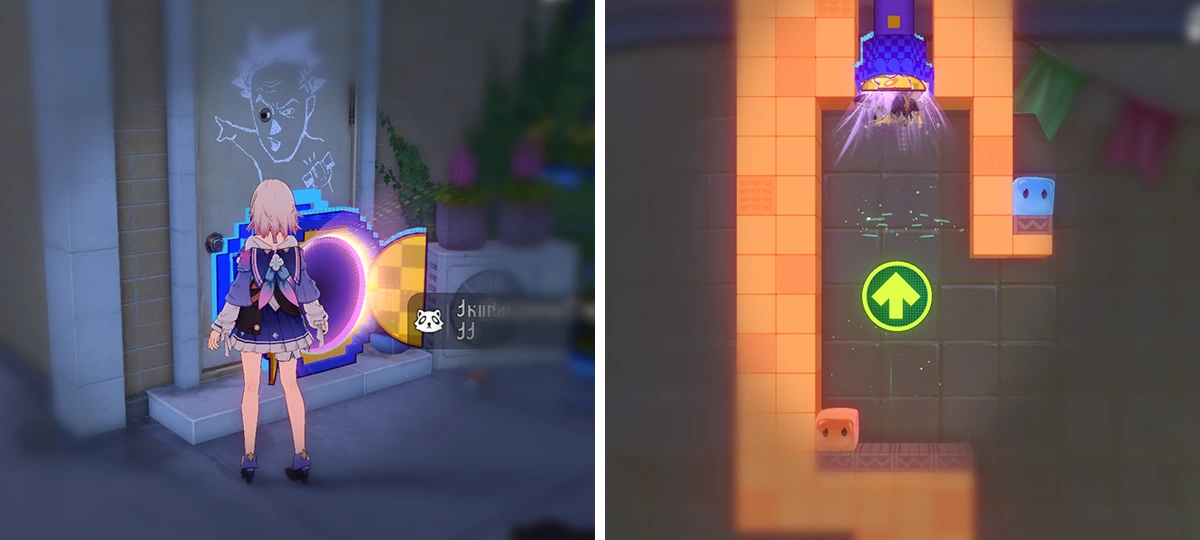 A special object linked to the "Interplanar Jump!" that lets you enter or exit the "Interplanar Jump!." A special object linked to the "Interplanar Jump!" that lets you enter or exit the "Interplanar Jump!."A special object linked to the "Interplanar Jump!" that lets you enter or exit the "Interplanar Jump!." |
| Teleporter |
Main article: Interplanar Jump! 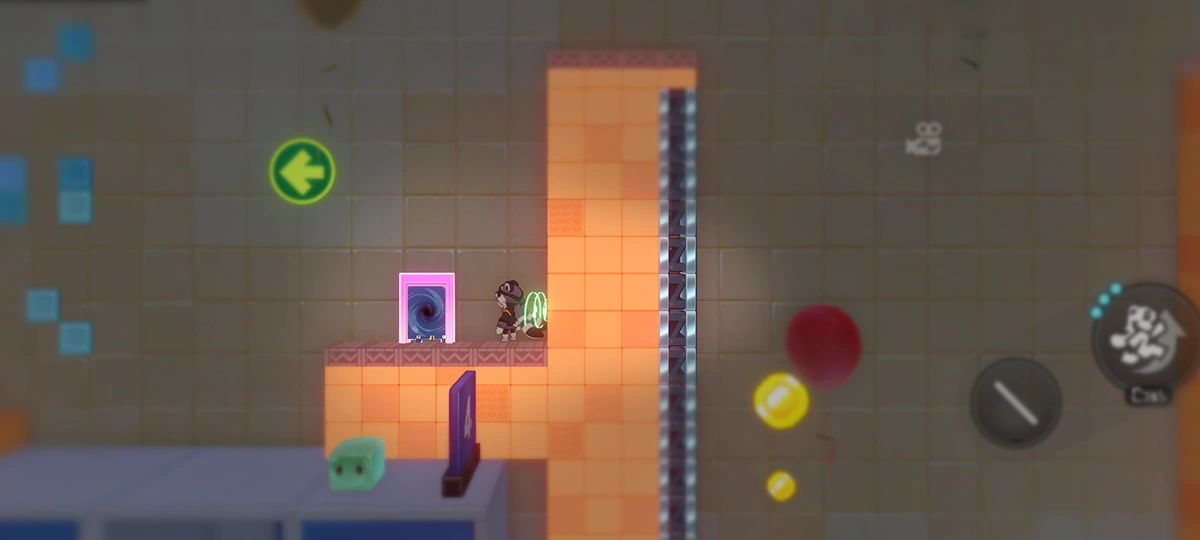 A special teleportable object in "Interplanar Jump!." Interacting with the teleporter can transport you to other "Interplanar Jump!" areas. A special teleportable object in "Interplanar Jump!." Interacting with the teleporter can transport you to other "Interplanar Jump!" areas.A special teleportable object in "Interplanar Jump!." Interacting with the teleporter can transport you to other "Interplanar Jump!" areas. |
| Jumping Energy Orb |
Main article: Interplanar Jump!  An item in "Interplanar Jump!" that restores all Jump Energy when obtained. An item in "Interplanar Jump!" that restores all Jump Energy when obtained.An item in "Interplanar Jump!" that restores all Jump Energy when obtained. Obtained Jumping Energy Orbs will reappear after landing safely.Obtained Jumping Energy Orbs will reappear after landing safely. |
| Pixcoin |
Main article: Interplanar Jump! 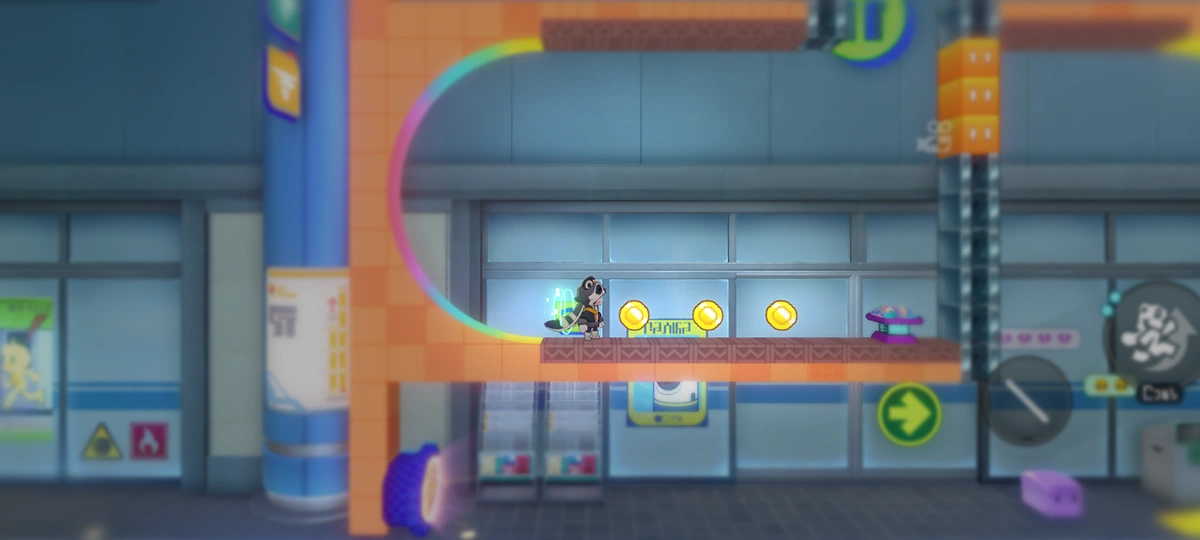 Coins found throughout Planarcadia. Can be used to exchange for goods at Oiiaiooo in Duomension City. Coins found throughout Planarcadia. Can be used to exchange for goods at Oiiaiooo in Duomension City.Coins found throughout Planarcadia. Can be used to exchange for goods at Oiiaiooo in Duomension City. |
| Mobile Platform |
Main article: Interplanar Jump! 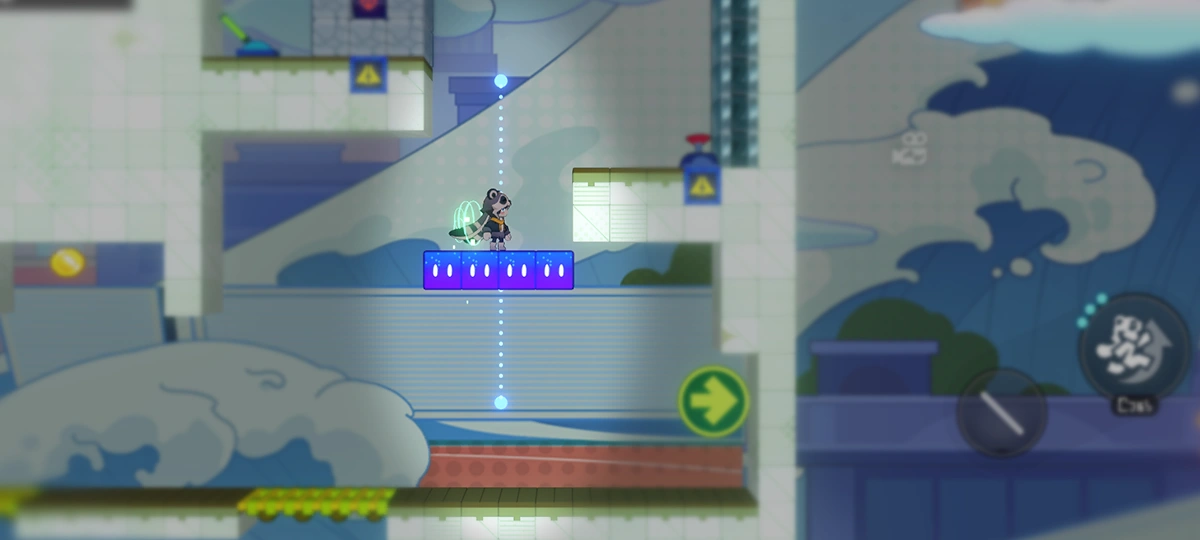 Platforms that move along fixed paths in "Interplanar Jump!." Platforms that move along fixed paths in "Interplanar Jump!."Platforms that move along fixed paths in "Interplanar Jump!." |
| Collapse Platform |
Main article: Interplanar Jump! 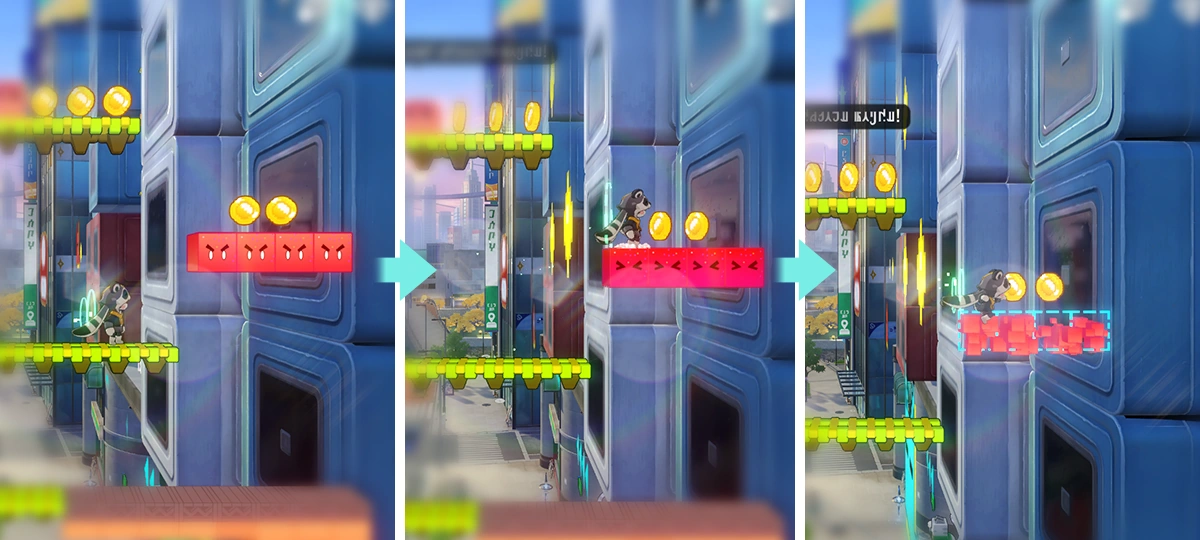 Collapsible platforms in "Interplanar Jump!" that will quickly collapse upon contact. After collapsing, the platforms will automatically restore after a short period of time. Collapsible platforms in "Interplanar Jump!" that will quickly collapse upon contact. After collapsing, the platforms will automatically restore after a short period of time.Collapsible platforms in "Interplanar Jump!" that will quickly collapse upon contact. After collapsing, the platforms will automatically restore after a short period of time. |
| Passable Platform |
Main article: Interplanar Jump!  A platform in "Interplanar Jump!" that can be jumped through. A platform in "Interplanar Jump!" that can be jumped through.A platform in "Interplanar Jump!" that can be jumped through. While standing on this platform, you can also (taptap/presspress/clickclick) and hold "Down" + "Jump" to drop through the platform.While standing on this platform, you can also (taptap/presspress/clickclick) and hold "Down" + "Jump" to drop through the platform. |
| Ice |
Main article: Interplanar Jump! 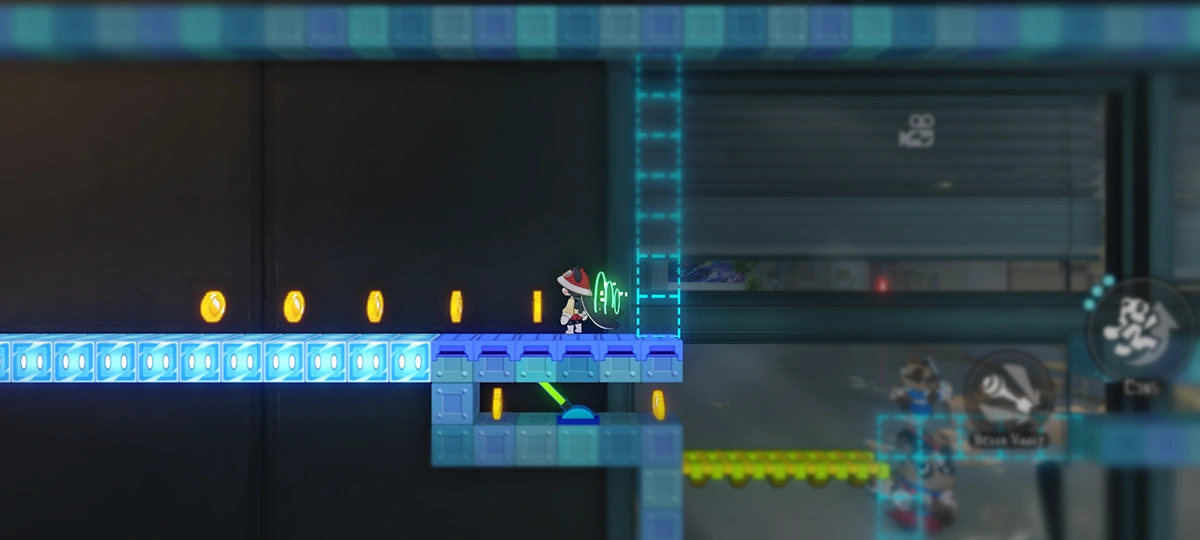 A type of platform in "Interplanar Jump!." When moving on this platform, your speed becomes extremely fast but it also becomes very hard to stop. A type of platform in "Interplanar Jump!." When moving on this platform, your speed becomes extremely fast but it also becomes very hard to stop.A type of platform in "Interplanar Jump!." When moving on this platform, your speed becomes extremely fast but it also becomes very hard to stop. |
| Transparent Platform |
Main article: Interplanar Jump! 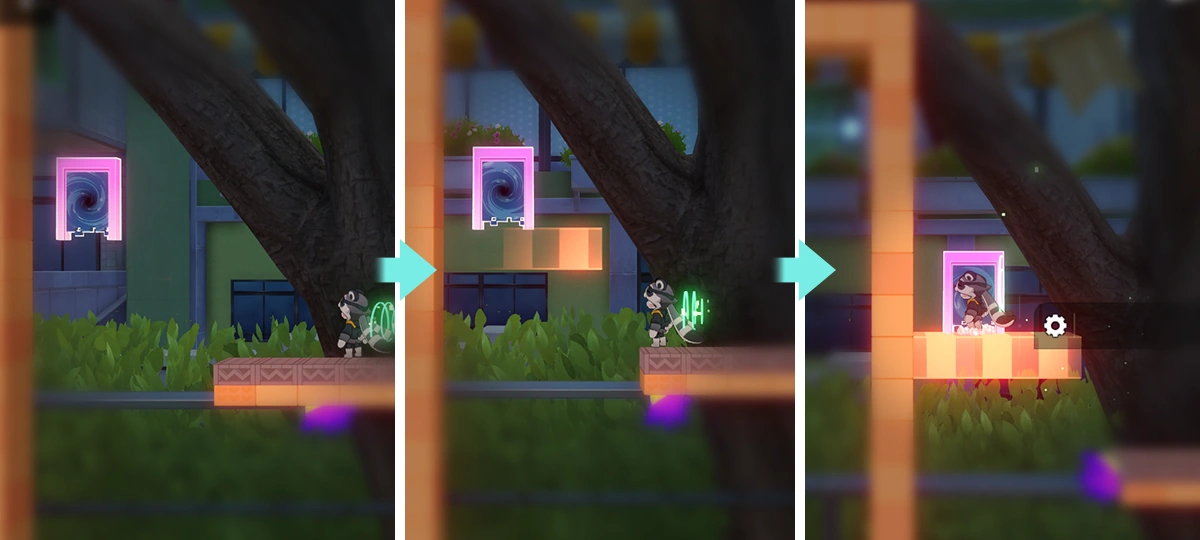 A special platform in "Interplanar Jump!" that only becomes faintly visible when you get close. Similar to passable platforms, this type of platform can be passed through directly. A special platform in "Interplanar Jump!" that only becomes faintly visible when you get close. Similar to passable platforms, this type of platform can be passed through directly.A special platform in "Interplanar Jump!" that only becomes faintly visible when you get close. Similar to passable platforms, this type of platform can be passed through directly. |
| Smooth Wall |
Main article: Interplanar Jump! 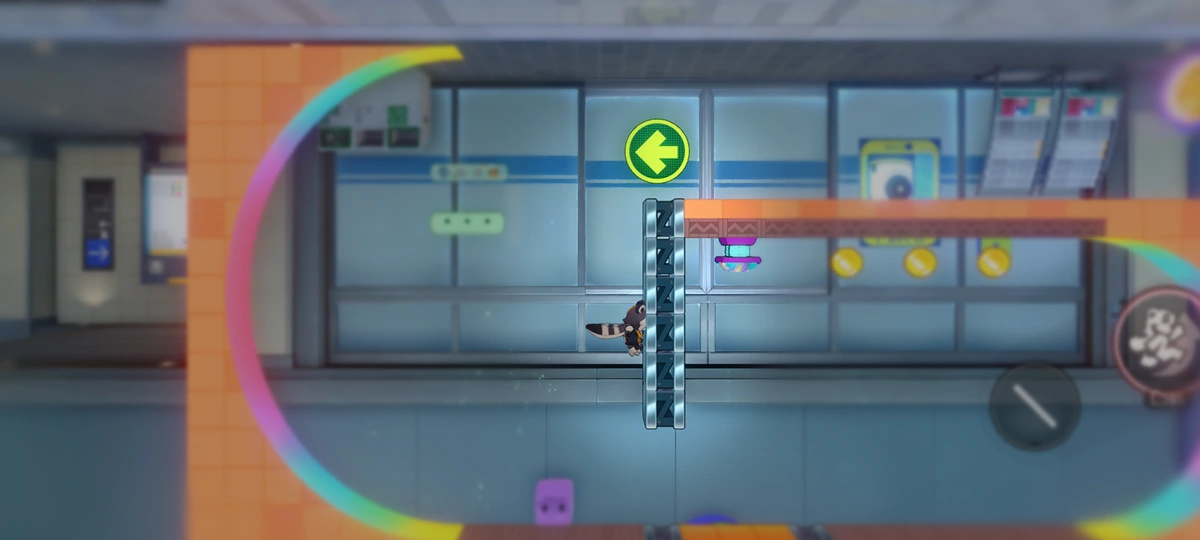 A special type of wall in "Interplanar Jump!" where Trailblazemon cannot cling to. A special type of wall in "Interplanar Jump!" where Trailblazemon cannot cling to.A special type of wall in "Interplanar Jump!" where Trailblazemon cannot cling to. |
| Strolling Belt |
Main article: Interplanar Jump!  In "Interplanar Jump!," there are special platforms that can change the direction of gravity. When a Trailblazemon passes over them from above, its own gravity will change accordingly. In "Interplanar Jump!," there are special platforms that can change the direction of gravity. When a Trailblazemon passes over them from above, its own gravity will change accordingly.In "Interplanar Jump!," there are special platforms that can change the direction of gravity. When a Trailblazemon passes over them from above, its own gravity will change accordingly. |
| Conveyor Belt |
Main article: Interplanar Jump!  In "Interplanar Jump!," there are conveyor belts that move horizontally and vertically. When standing on a horizontal conveyor belt, you will be sped up if you move in the same direction as the belt, but slowed down if you move in the opposite direction. In "Interplanar Jump!," there are conveyor belts that move horizontally and vertically. When standing on a horizontal conveyor belt, you will be sped up if you move in the same direction as the belt, but slowed down if you move in the opposite direction.In "Interplanar Jump!," there are conveyor belts that move horizontally and vertically. When standing on a horizontal conveyor belt, you will be sped up if you move in the same direction as the belt, but slowed down if you move in the opposite direction. When on a vertical conveyor belt, maintaining the clinging state allows you to move along with the conveyor belt.When on a vertical conveyor belt, maintaining the clinging state allows you to move along with the conveyor belt. |
| Ladder |
Main article: Interplanar Jump!  In "Interplanar Jump!," there are ladders that allow free vertical movement. When clinging to them, all jump points are automatically recovered. In "Interplanar Jump!," there are ladders that allow free vertical movement. When clinging to them, all jump points are automatically recovered.In "Interplanar Jump!," there are ladders that allow free vertical movement. When clinging to them, all jump points are automatically recovered. |
| Trampoline |
Main article: Interplanar Jump! 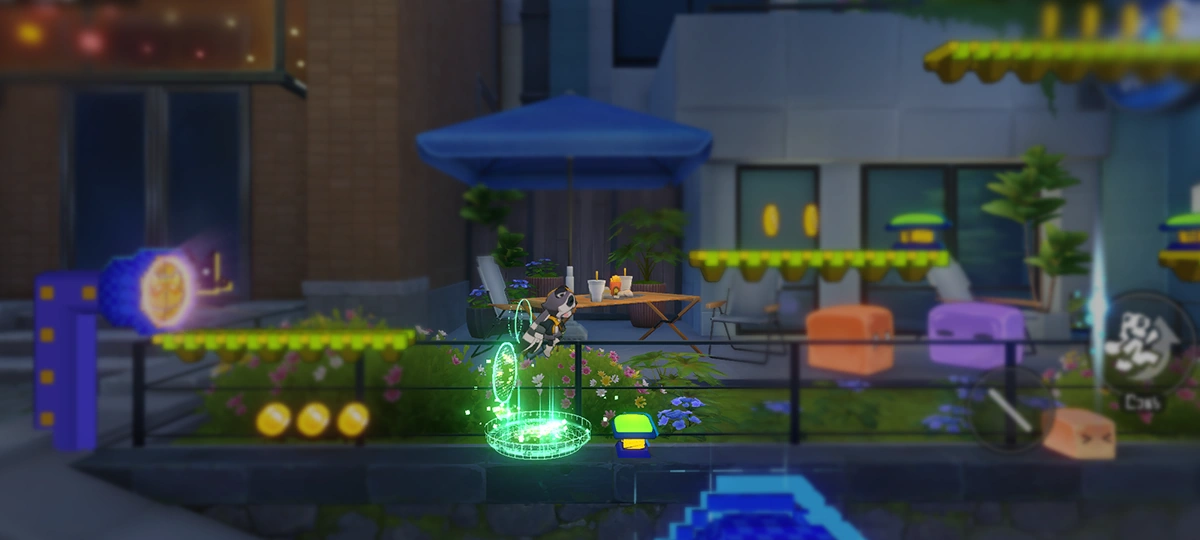 An object in "Interplanar Jump!" that automatically bounces any Trailblazemon upon contact. An object in "Interplanar Jump!" that automatically bounces any Trailblazemon upon contact.An object in "Interplanar Jump!" that automatically bounces any Trailblazemon upon contact. 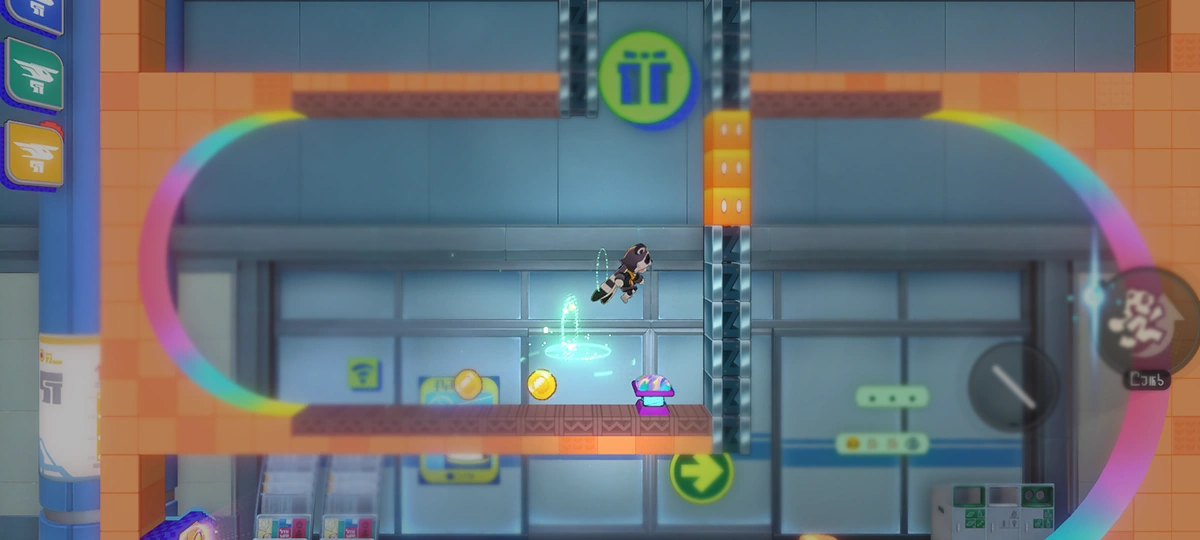 The bounce height of a normal trampoline is fixed. But there are rainbow trampolines that launch Trailblazemon to unpredictable heights. The bounce height of a normal trampoline is fixed. But there are rainbow trampolines that launch Trailblazemon to unpredictable heights.The bounce height of a normal trampoline is fixed. But there are rainbow trampolines that launch Trailblazemon to unpredictable heights. |
| Waldundun & PiPinTun |
Main article: Interplanar Jump!  Two special types of wispae that exist in "Interplanar Jump!" will be attracted to the Trailblazemon and gradually move closer to it, but they possess no offensive capabilities. Additionally, when they spot a HelpBot, they will immediately shift their attention and move toward the HelpBot instead. Two special types of wispae that exist in "Interplanar Jump!" will be attracted to the Trailblazemon and gradually move closer to it, but they possess no offensive capabilities. Additionally, when they spot a HelpBot, they will immediately shift their attention and move toward the HelpBot instead.Two special types of wispae that exist in "Interplanar Jump!" will be attracted to the Trailblazemon and gradually move closer to it, but they possess no offensive capabilities. Additionally, when they spot a HelpBot, they will immediately shift their attention and move toward the HelpBot instead. |
| Cloudae |
Main article: Interplanar Jump! 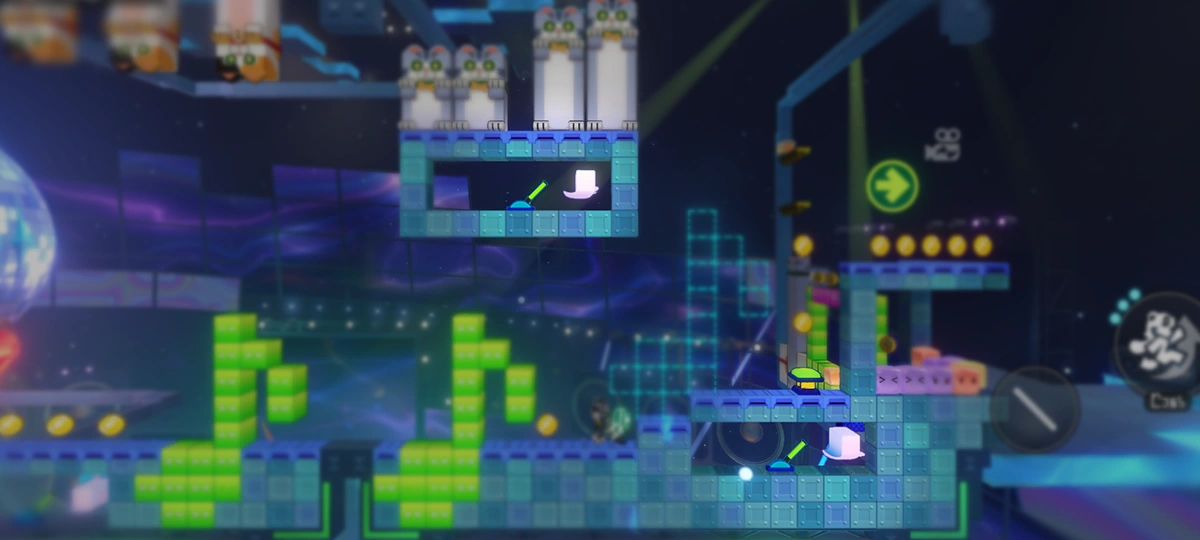 A special cloud-like wispae found in "Interplanar Jump!" that knocks you back upon contact. A special cloud-like wispae found in "Interplanar Jump!" that knocks you back upon contact.A special cloud-like wispae found in "Interplanar Jump!" that knocks you back upon contact. Cloudae can interact with most special objects (such as levers etc.) in "Interplanar Jump!" to produce different results.Cloudae can interact with most special objects (such as levers etc.) in "Interplanar Jump!" to produce different results. |
| Hedgehogae |
Main article: Interplanar Jump! 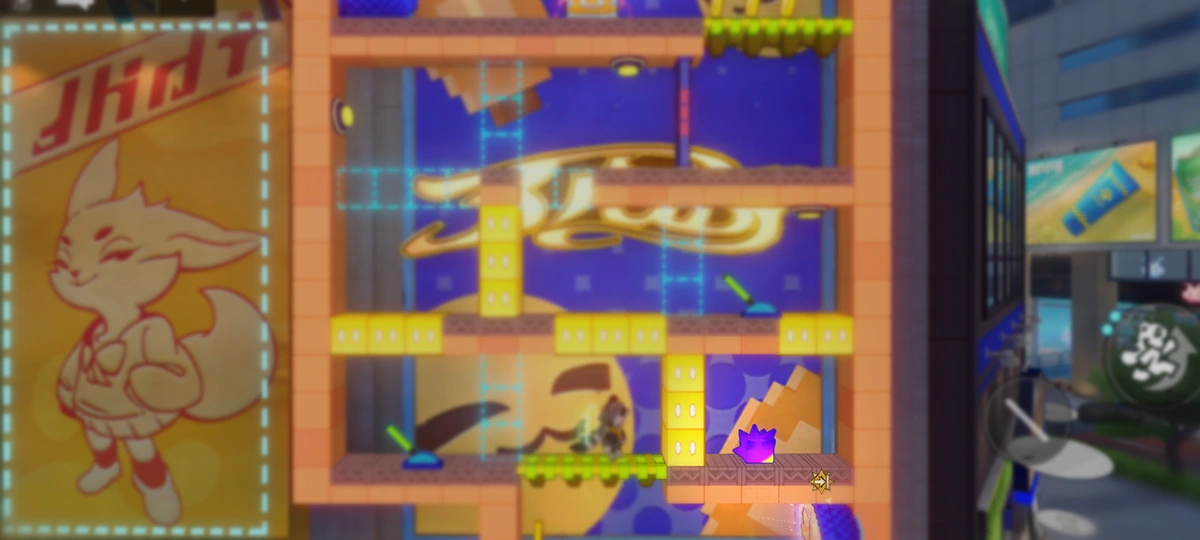 A special hedgehog-like wispae found in "Interplanar Jump!" that knocks you back upon contact. A special hedgehog-like wispae found in "Interplanar Jump!" that knocks you back upon contact.A special hedgehog-like wispae found in "Interplanar Jump!" that knocks you back upon contact. Hedgehogae can interact with most special objects (such as pressure-triggered buttons, etc.) in "Interplanar Jump!" to produce different results.Hedgehogae can interact with most special objects (such as pressure-triggered buttons, etc.) in "Interplanar Jump!" to produce different results. |
| Spike |
Main article: Interplanar Jump! 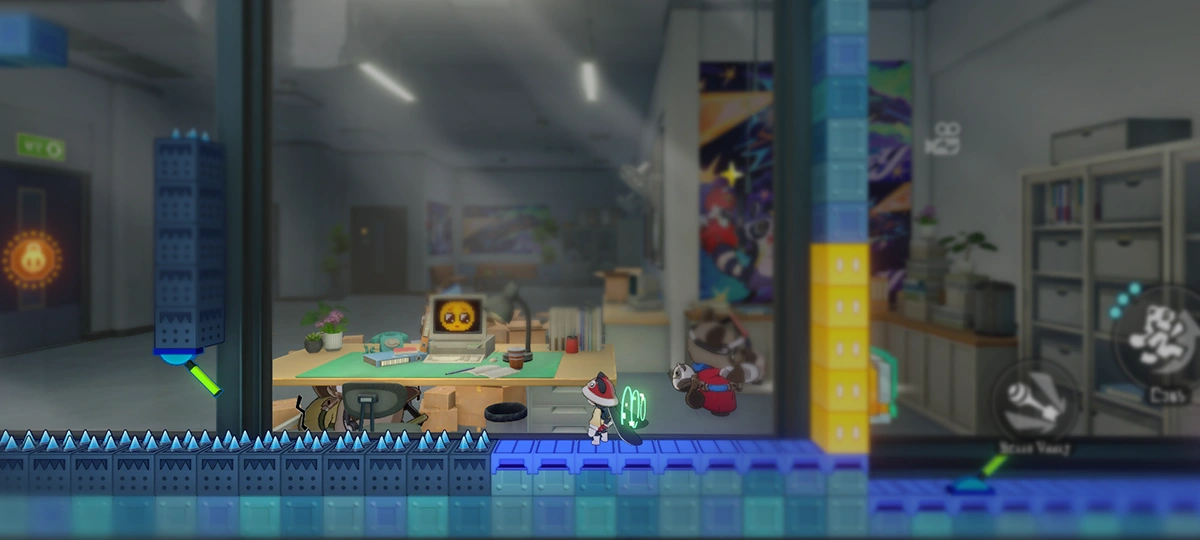 There are some dangerous spikes in "Interplanar Jump!." If a Trailblazemon touches them, it will die instantly and respawn at a safe location. There are some dangerous spikes in "Interplanar Jump!." If a Trailblazemon touches them, it will die instantly and respawn at a safe location.There are some dangerous spikes in "Interplanar Jump!." If a Trailblazemon touches them, it will die instantly and respawn at a safe location. |
| Ice Block III |
Main article: Interplanar Jump!  Moving the HelpBot forward will directly shatter the ice block it touches. Moving the HelpBot forward will directly shatter the ice block it touches.Moving the HelpBot forward will directly shatter the ice block it touches. |
| Ice Block II |
Main article: Interplanar Jump!  Snowflakes falling into shattered Ice Blocks can cause them to refreeze. Snowflakes falling into shattered Ice Blocks can cause them to refreeze.Snowflakes falling into shattered Ice Blocks can cause them to refreeze. |
| Casper |
Main article: Interplanar Jump!  Many years ago, Casper used to be a towering Frost Giant. They would often invite others to snowball fights, tossing out snowflakes, Hedgehogae, and Gold Coins as they pleased. Many years ago, Casper used to be a towering Frost Giant. They would often invite others to snowball fights, tossing out snowflakes, Hedgehogae, and Gold Coins as they pleased.Many years ago, Casper used to be a towering Frost Giant. They would often invite others to snowball fights, tossing out snowflakes, Hedgehogae, and Gold Coins as they pleased. Watch out! The Hedgehogae thrown by Casper will knock Trailblazemon back.Watch out! The Hedgehogae thrown by Casper will knock Trailblazemon back. |
| Ice Block I |
Main article: Interplanar Jump!  Ice blocks are fragile. Attacking an ice block with a bow and arrow will cause it to crack, and attacking it again will shatter it. A Trailblazemon dropping onto the surface of an ice block or hitting it by jumping from below will have the same effect. Ice blocks are fragile. Attacking an ice block with a bow and arrow will cause it to crack, and attacking it again will shatter it. A Trailblazemon dropping onto the surface of an ice block or hitting it by jumping from below will have the same effect.Ice blocks are fragile. Attacking an ice block with a bow and arrow will cause it to crack, and attacking it again will shatter it. A Trailblazemon dropping onto the surface of an ice block or hitting it by jumping from below will have the same effect. The surface of the ice block is smooth. Walking on it grants a SPD Boost.The surface of the ice block is smooth. Walking on it grants a SPD Boost. |
| Gift of the Godspeed Prome (2D Edition) |
Main article: Interplanar Jump! 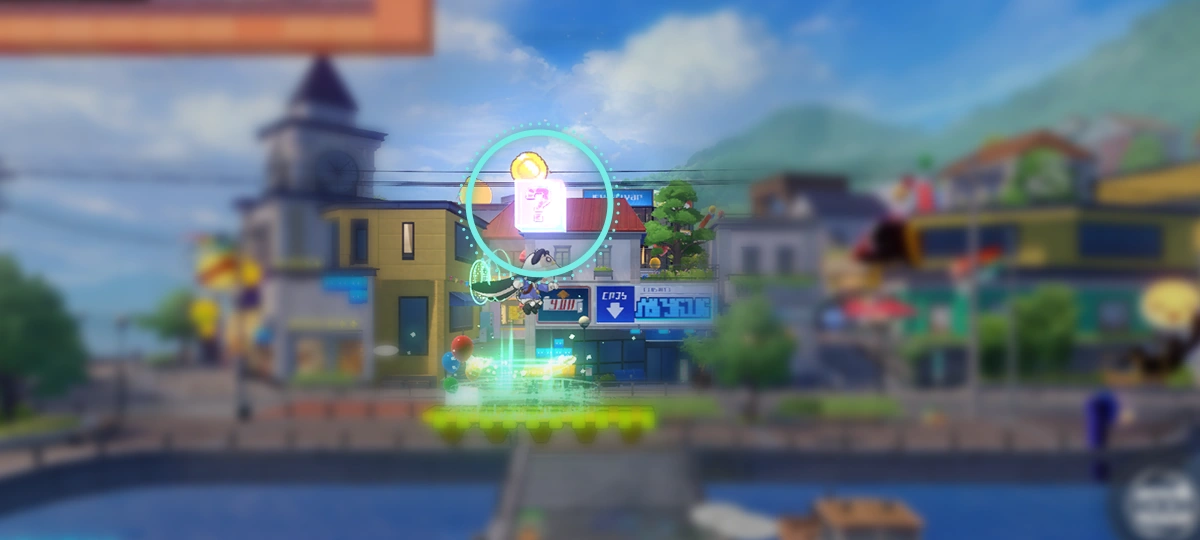 A special module created by a mysterious hacker girl after hacking into Interplanar Jump!. Hit the module, and various surprises will be waiting for you! A special module created by a mysterious hacker girl after hacking into Interplanar Jump!. Hit the module, and various surprises will be waiting for you!A special module created by a mysterious hacker girl after hacking into Interplanar Jump!. Hit the module, and various surprises will be waiting for you! |
| Gravity Line |
Main article: Interplanar Jump!  Touching a Gravity Line will cause the Trailblazemon's gravity to flip upside down. Touching a Gravity Line will cause the Trailblazemon's gravity to flip upside down.Touching a Gravity Line will cause the Trailblazemon's gravity to flip upside down. |
| Fragile Module |
Main article: Interplanar Jump! 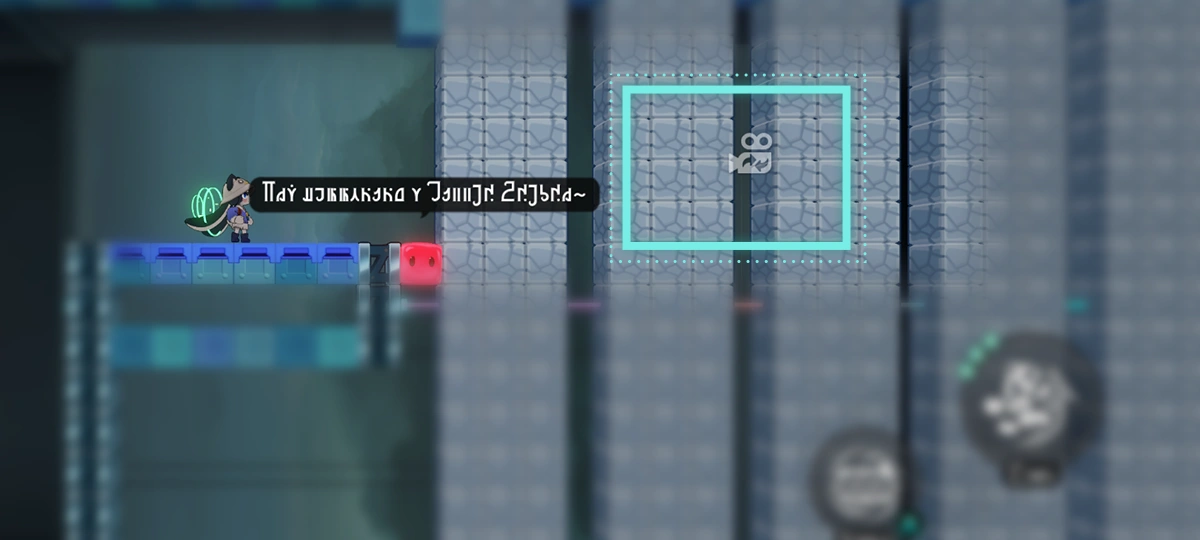 A special module that exists in "Interplanar Jump!" These can be smashed directly by HelpBot. A special module that exists in "Interplanar Jump!" These can be smashed directly by HelpBot.A special module that exists in "Interplanar Jump!" These can be smashed directly by HelpBot. |
| Alloy Pommy (2D Special Edition) |
Main article: Interplanar Jump!  The new Pearluxe-made "Clean" series Pom-Pom Sanitation Mechatron model fires cannonballs that identify Trailblazemons as trash and sweep them up too. The new Pearluxe-made "Clean" series Pom-Pom Sanitation Mechatron model fires cannonballs that identify Trailblazemons as trash and sweep them up too.The new Pearluxe-made "Clean" series Pom-Pom Sanitation Mechatron model fires cannonballs that identify Trailblazemons as trash and sweep them up too. 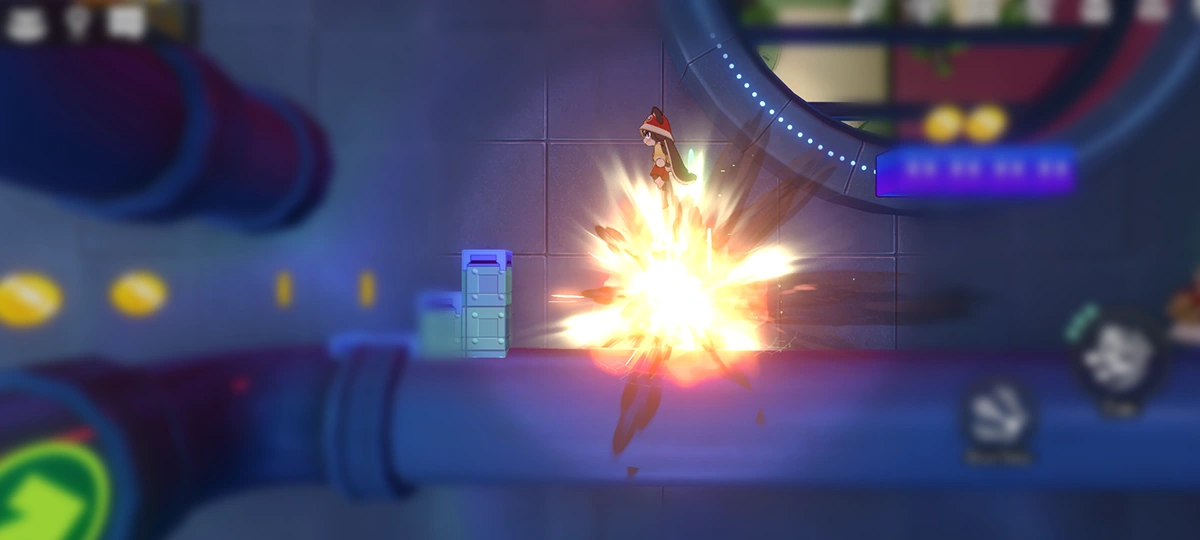 Hint: If you time it right and land on top of a missile, you can dodge the blast damage while using the explosion to perform a jump without consuming Energy. Hint: If you time it right and land on top of a missile, you can dodge the blast damage while using the explosion to perform a jump without consuming Energy.Hint: If you time it right and land on top of a missile, you can dodge the blast damage while using the explosion to perform a jump without consuming Energy. |
| Lever |
Main article: Interplanar Jump! 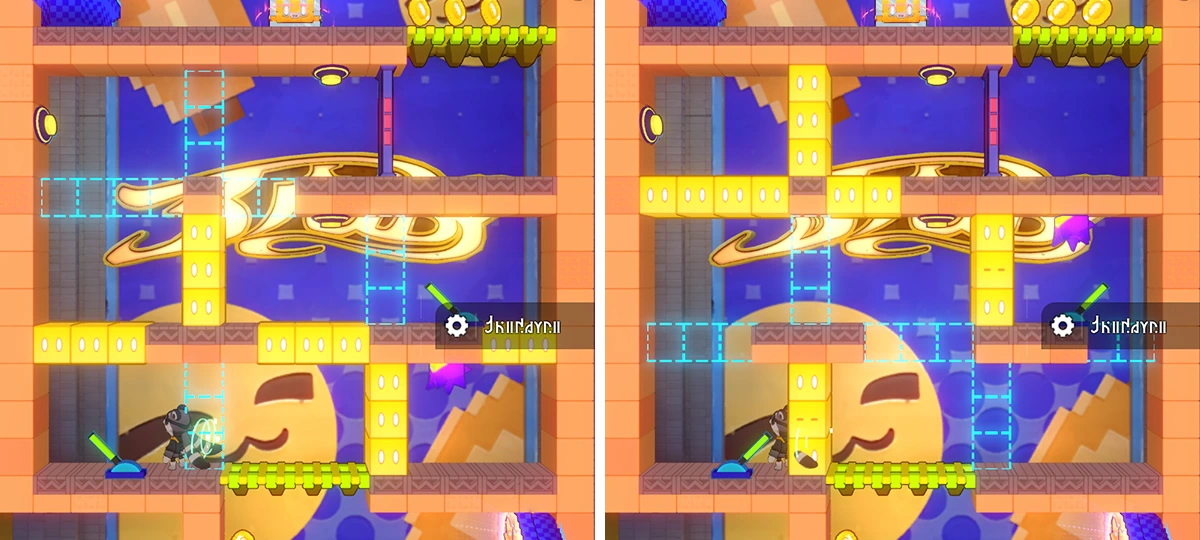 An interactive object in "Interplanar Jump!" that can be interacted with repeatedly to trigger certain occurrences. An interactive object in "Interplanar Jump!" that can be interacted with repeatedly to trigger certain occurrences.An interactive object in "Interplanar Jump!" that can be interacted with repeatedly to trigger certain occurrences. |
| Bomb and Bomb Button |
Main article: Interplanar Jump! 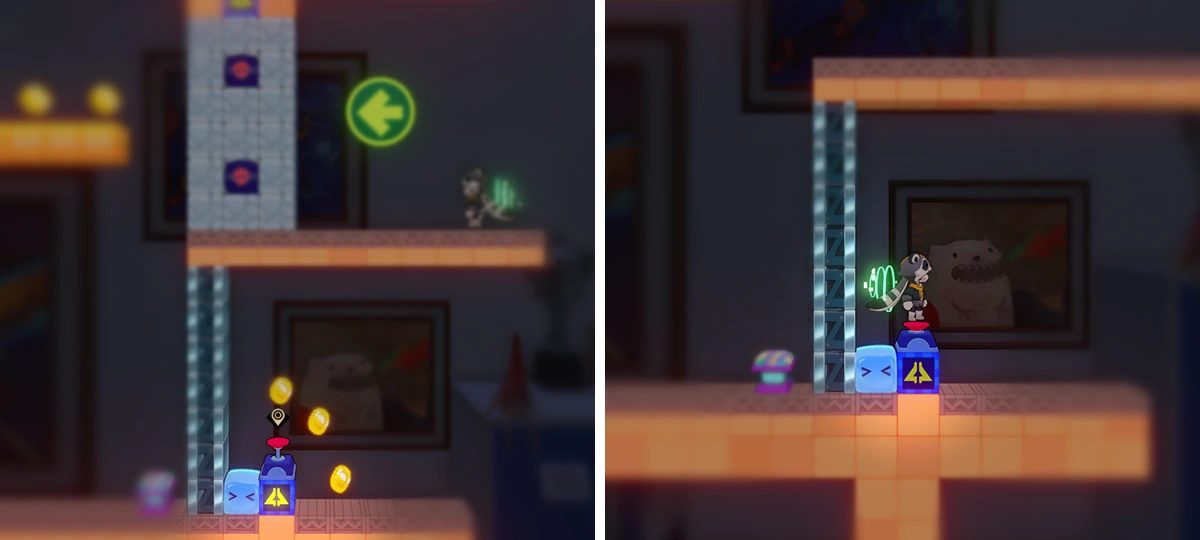 In "Interplanar Jump!," there are bombs and their associated bomb buttons. (TappingTapping/PressingPressing/ClickingClicking) a bomb button activates the linked bomb, causing it to explode. In "Interplanar Jump!," there are bombs and their associated bomb buttons. (TappingTapping/PressingPressing/ClickingClicking) a bomb button activates the linked bomb, causing it to explode.In "Interplanar Jump!," there are bombs and their associated bomb buttons. (TappingTapping/PressingPressing/ClickingClicking) a bomb button activates the linked bomb, causing it to explode. |
| Mechanism Gates and Pressure-Triggered Buttons |
Main article: Interplanar Jump!  In "Interplanar Jump!," there are mechanism gates with indicator lights on them. These gates can only be opened by activating all indicator lights, each of which is linked to a pressure-triggered button, and pressing the button will activate its corresponding indicator light. In "Interplanar Jump!," there are mechanism gates with indicator lights on them. These gates can only be opened by activating all indicator lights, each of which is linked to a pressure-triggered button, and pressing the button will activate its corresponding indicator light.In "Interplanar Jump!," there are mechanism gates with indicator lights on them. These gates can only be opened by activating all indicator lights, each of which is linked to a pressure-triggered button, and pressing the button will activate its corresponding indicator light. Pressure-triggered buttons come in two colors. The blue ones will not pop back up after being activated, while the purple ones will automatically pop back up after being activated.Pressure-triggered buttons come in two colors. The blue ones will not pop back up after being activated, while the purple ones will automatically pop back up after being activated. |
| Trailblazemon Grand Challenge 1 |
Main article: Trailblazemon Grand Challenge 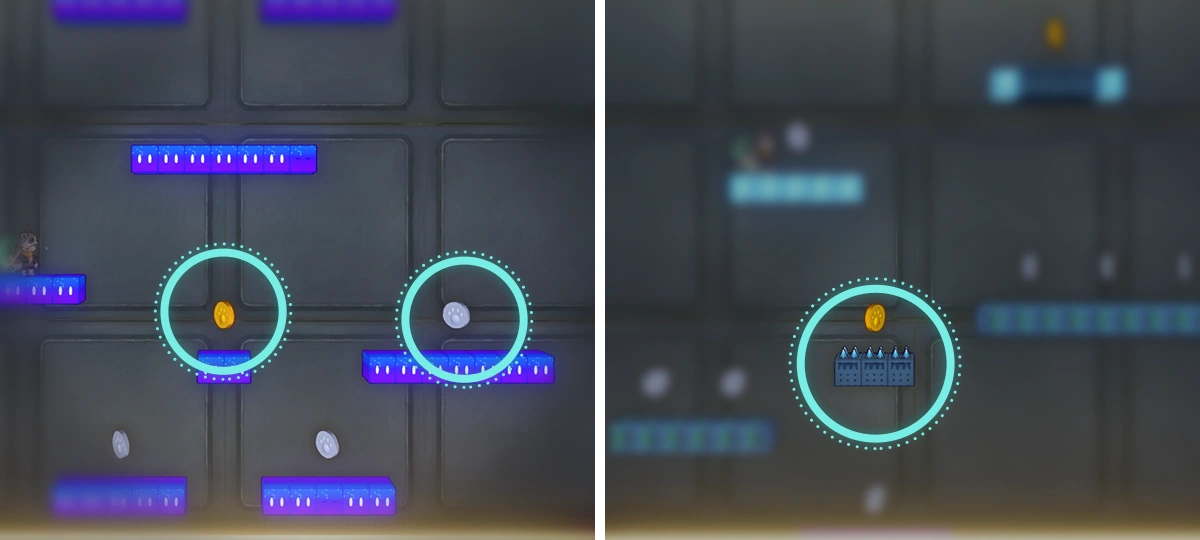 In "The Wispae That Constantly Falls" challenge, players take on the role of Trailblazemon, striving to collect as many tokens as possible. The challenge will immediately end when the Trailblazemon exits the play area or lands on spikes. In "The Wispae That Constantly Falls" challenge, players take on the role of Trailblazemon, striving to collect as many tokens as possible. The challenge will immediately end when the Trailblazemon exits the play area or lands on spikes.In "The Wispae That Constantly Falls" challenge, players take on the role of Trailblazemon, striving to collect as many tokens as possible. The challenge will immediately end when the Trailblazemon exits the play area or lands on spikes. |
| Trailblazemon Grand Challenge 2 |
Main article: Trailblazemon Grand Challenge 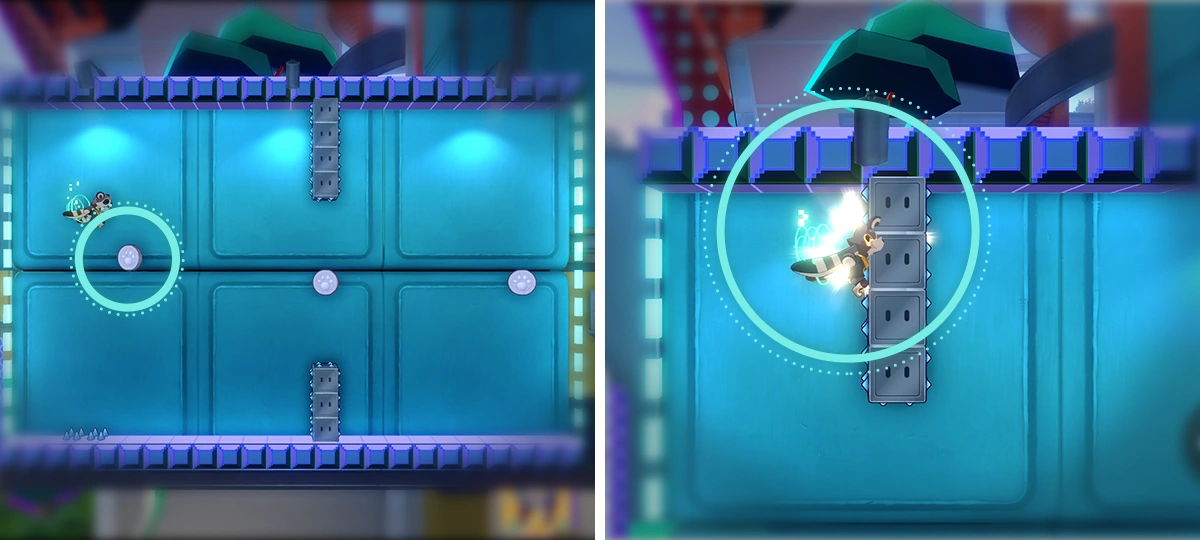 In "The Wispae That Wants To Fly But Can't Fly" challenge, players take on the role of Trailblazemon and can jump infinitely, striving to collect as many tokens as possible. The challenge will end immediately when the Trailblazemon lands on spikes. In "The Wispae That Wants To Fly But Can't Fly" challenge, players take on the role of Trailblazemon and can jump infinitely, striving to collect as many tokens as possible. The challenge will end immediately when the Trailblazemon lands on spikes.In "The Wispae That Wants To Fly But Can't Fly" challenge, players take on the role of Trailblazemon and can jump infinitely, striving to collect as many tokens as possible. The challenge will end immediately when the Trailblazemon lands on spikes. |
| Trailblazemon Grand Challenge 3 |
Main article: Trailblazemon Grand Challenge 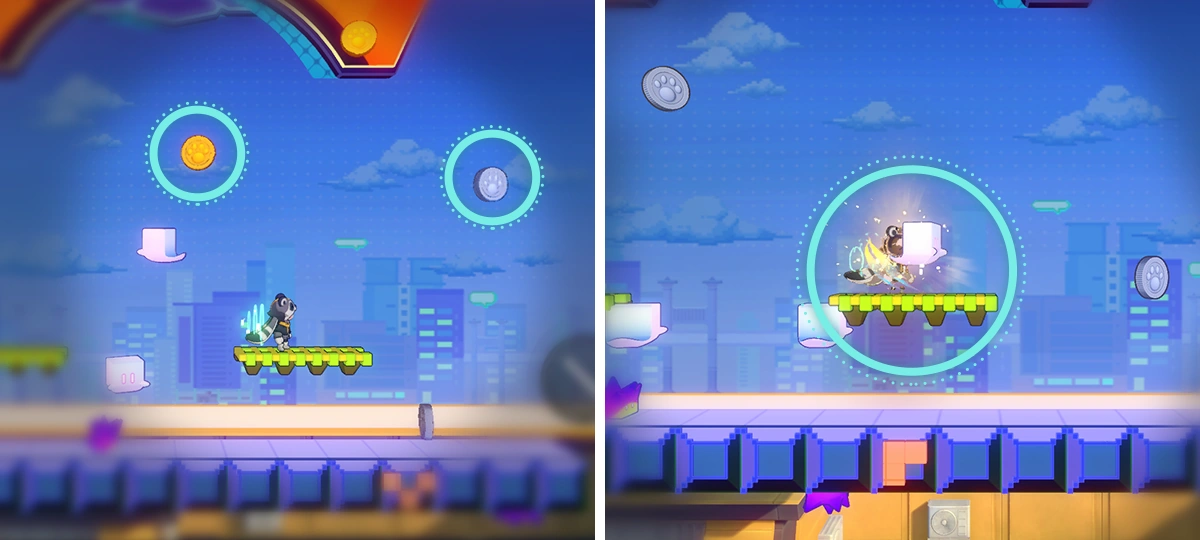 In "The Wispae Waiting For Money to Fall From The Sky" challenge, players take on the role of Trailblazemon, trying to collect as many tokens as possible. When the Trailblazemon collide with a Hedgehogae or Cloudae, the challenge will end immediately. In "The Wispae Waiting For Money to Fall From The Sky" challenge, players take on the role of Trailblazemon, trying to collect as many tokens as possible. When the Trailblazemon collide with a Hedgehogae or Cloudae, the challenge will end immediately.In "The Wispae Waiting For Money to Fall From The Sky" challenge, players take on the role of Trailblazemon, trying to collect as many tokens as possible. When the Trailblazemon collide with a Hedgehogae or Cloudae, the challenge will end immediately. |
| Button Mapping and Joystick Adjustment |
Main article: Interplanar Jump! (Keyboard)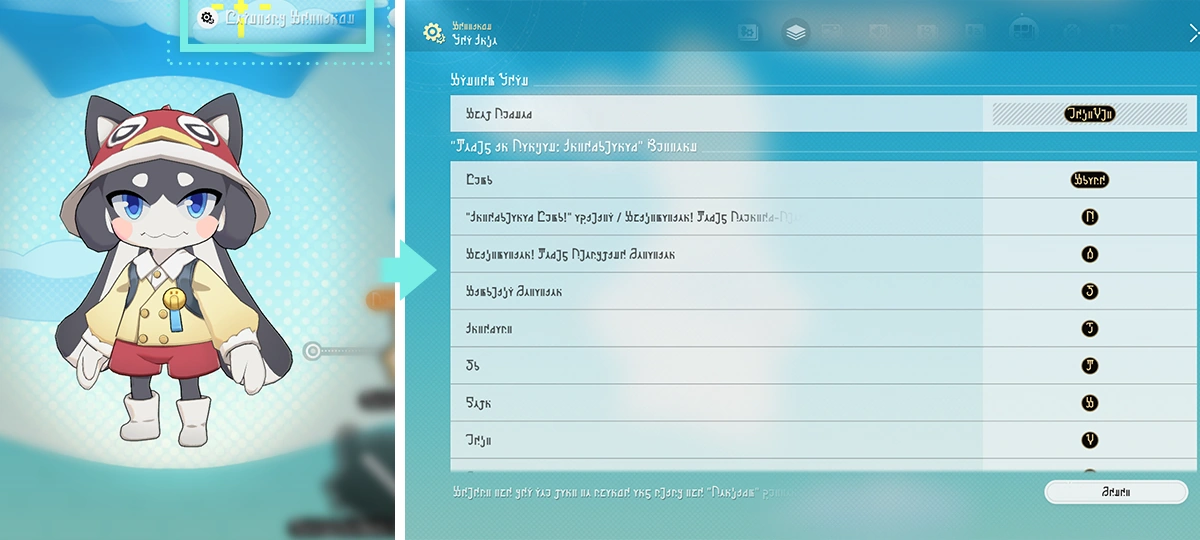 In Keyboard and Mouse or Controller Modes, you can adjust the buttons for "Interplanar Jump!" and "Shiftmation!" via Settings - Button Info. In Keyboard and Mouse or Controller Modes, you can adjust the buttons for "Interplanar Jump!" and "Shiftmation!" via Settings - Button Info.In Keyboard and Mouse or Controller Modes, you can adjust the buttons for "Interplanar Jump!" and "Shiftmation!" via Settings - Button Info. In Touchscreen Mode, you can adjust the joystick operation mode for "Interplanar Jump!" and "Shiftmation!" via Settings - Other.In Touchscreen Mode, you can adjust the joystick operation mode for "Interplanar Jump!" and "Shiftmation!" via Settings - Other. 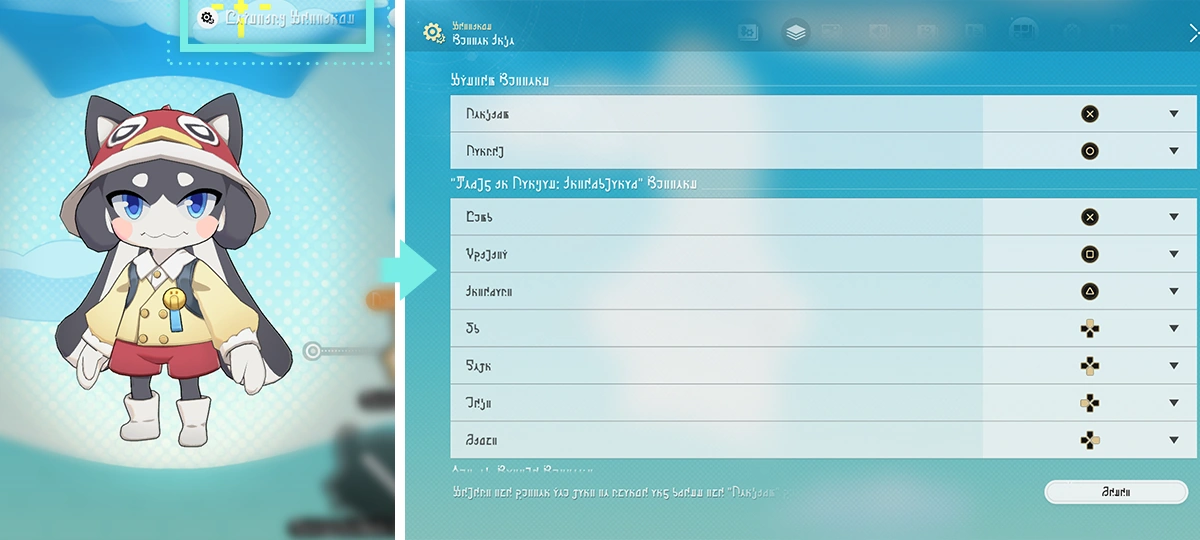 In Keyboard and Mouse or Controller Modes, you can adjust the buttons for "Interplanar Jump!" and "Shiftmation!" via Settings - Button Info. In Keyboard and Mouse or Controller Modes, you can adjust the buttons for "Interplanar Jump!" and "Shiftmation!" via Settings - Button Info.In Keyboard and Mouse or Controller Modes, you can adjust the buttons for "Interplanar Jump!" and "Shiftmation!" via Settings - Button Info. In Touchscreen Mode, you can adjust the joystick operation mode for "Interplanar Jump!" and "Shiftmation!" via Settings - Other.In Touchscreen Mode, you can adjust the joystick operation mode for "Interplanar Jump!" and "Shiftmation!" via Settings - Other. 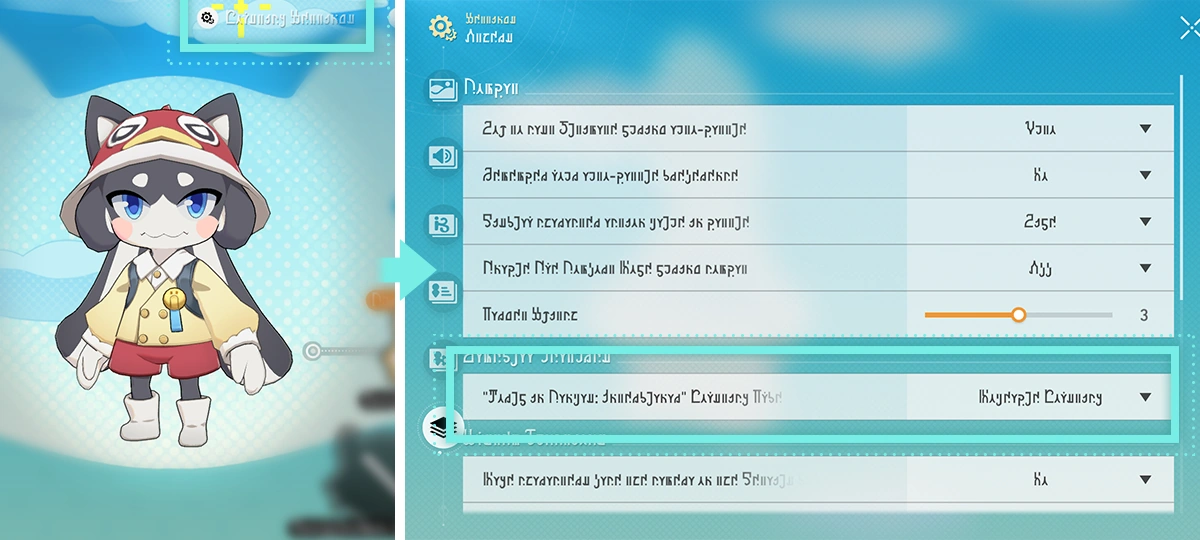 In Touchscreen Mode, you can adjust the joystick operation mode for "Interplanar Jump!" and "Shiftmation!" via Settings - Other. In Touchscreen Mode, you can adjust the joystick operation mode for "Interplanar Jump!" and "Shiftmation!" via Settings - Other.In Touchscreen Mode, you can adjust the joystick operation mode for "Interplanar Jump!" and "Shiftmation!" via Settings - Other. In Keyboard and Mouse or Controller Modes, you can adjust the buttons for "Interplanar Jump!" and "Shiftmation!" via Settings - Button Info.In Keyboard and Mouse or Controller Modes, you can adjust the buttons for "Interplanar Jump!" and "Shiftmation!" via Settings - Button Info. |
| Pom-Pom's Tiny Express |
Main article: Interplanar Jump!  Pom-Pom's Tiny Express is powered by Wishpower. When Wishpower increases, the Tiny Express will consume it to speed up. Once the Tiny Express reaches the other end of the progress bar, the game will end. Pom-Pom's Tiny Express is powered by Wishpower. When Wishpower increases, the Tiny Express will consume it to speed up. Once the Tiny Express reaches the other end of the progress bar, the game will end.Pom-Pom's Tiny Express is powered by Wishpower. When Wishpower increases, the Tiny Express will consume it to speed up. Once the Tiny Express reaches the other end of the progress bar, the game will end. 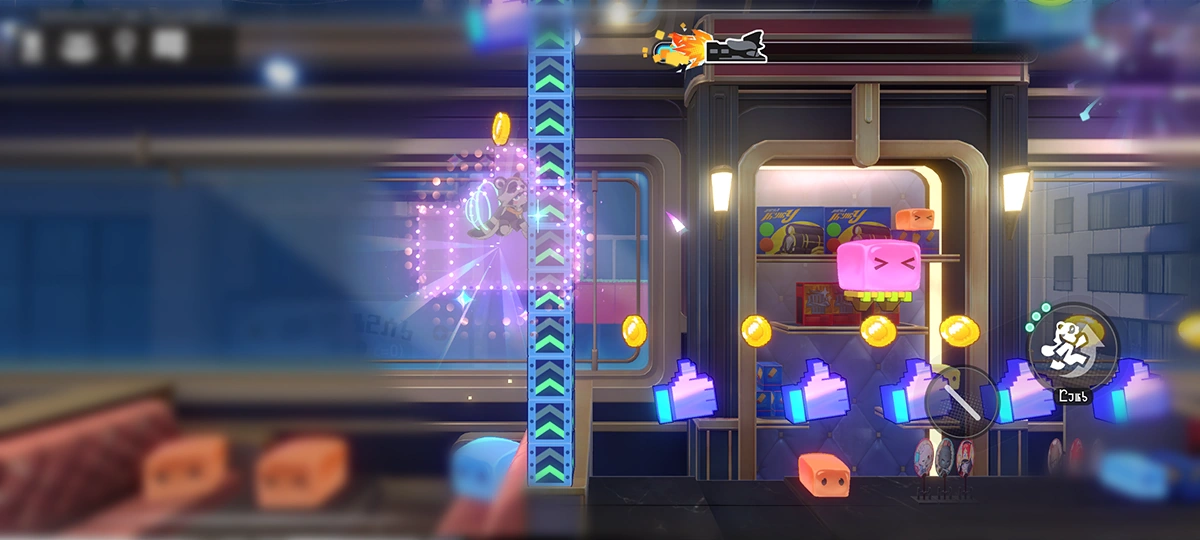 The audience's Wishpower crystallizes into thumbs-up shapes inside the Car. Get close or shoot to collect Wishpower Crystals and recharge the Tiny Express's Wishpower. The audience's Wishpower crystallizes into thumbs-up shapes inside the Car. Get close or shoot to collect Wishpower Crystals and recharge the Tiny Express's Wishpower.The audience's Wishpower crystallizes into thumbs-up shapes inside the Car. Get close or shoot to collect Wishpower Crystals and recharge the Tiny Express's Wishpower. |