Tutorial/Uncategorized
Last updated 2025-03-11
There are 61 tutorials that are not added to the Archive, even if they fit any of the other definitions:
Tsar's White Birch - 136891641  |
|---|
Main article: Tsar's White Birch  An interesting plant that grows from the ground, known as the "Tsar's White Birch." For some reason, its highly flexible branches react to Goggles in a special way — they turn towards your friend when you approach in an attempt to absorb Goggles' energy. |
Shadow Wingdrop and Shadow Realm Analyzer - Gameplay Tutorial  |
 After analyzing a certain number of Shadow Wingdrops, you will know more about the Shadow Realm and gain increased mobility within. |
| "Radiant Spincrystals" |
Main article: Radiant Spincrystal 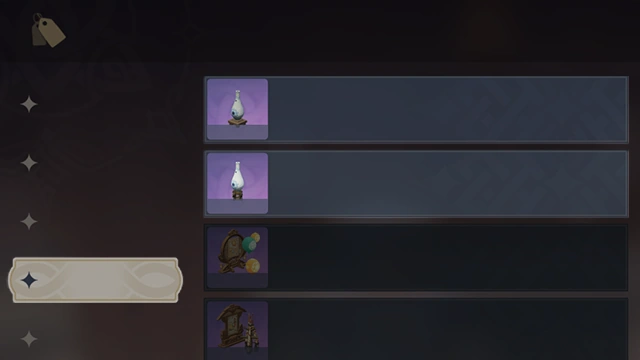 You can purchase Euphonium Unbound: Soaring or Euphonium Unbound: Winding from your Realm Depot: Riches of the Realm. 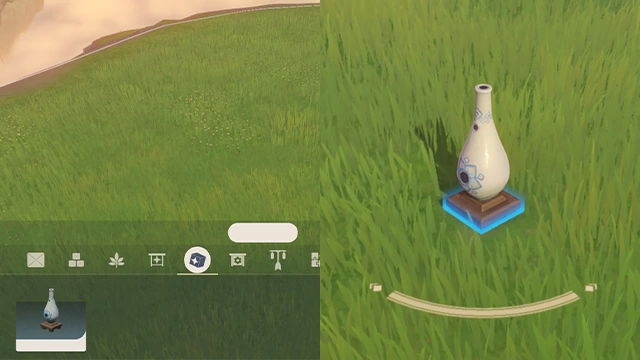 Open Editing Mode to place Euphonium Unbound: Winding indoors or Euphonium Unbound: Soaring outdoors. 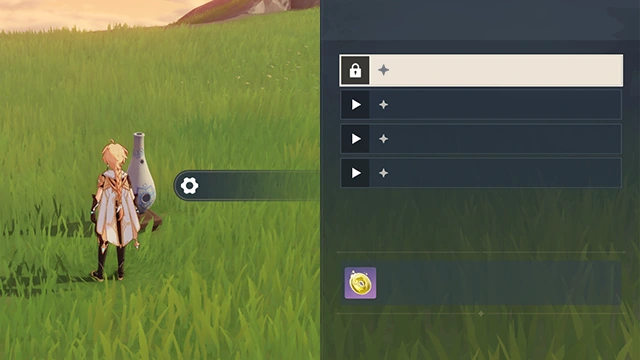 Interact with Euphonium Unbound: Soaring or Euphonium Unbound: Winding to open the Realm's music menu, where you can then consume Radiant Spincrystals to unlock the corresponding tunes. |
| "Witch's Revelation" - Gameplay Tutorial |
Main article: Witch's Revelation  Complete Witch's Revelation-related quests to unlock additional Talents for the corresponding characters. Certain characters' skills and Constellation effects will also change.  Each Witch's Revelation quest is focused on a specific character. Obtain the corresponding character and increase their level to Lv. 70 to unlock their related quest. |
| About Lightshapers - Gameplay Tutorial |
Main article: Danger All Around 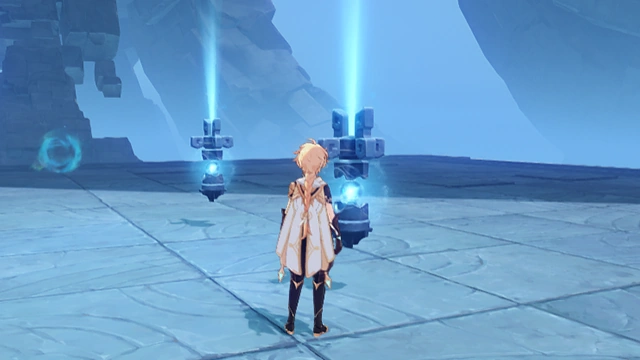 The Lightshapers on the platforms will shine unique beams of light upon the platforms opposite them. Operate these devices to control the position and direction of those beams of light. 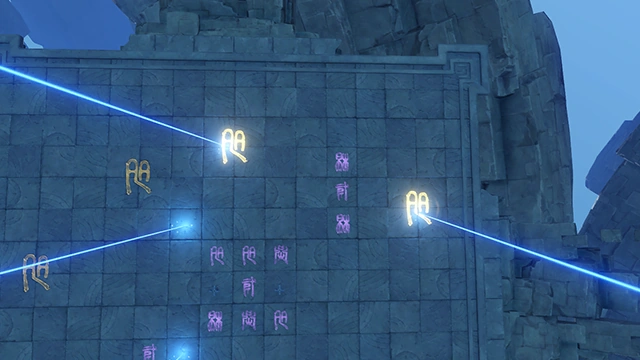 The Lightshapers may be used to cast their light upon the large symbols on the platforms opposite them, thereby activating those symbols. Activating all the large symbols seems to be the key to solving the puzzle. |
| About Symbols - Gameplay Tutorial |
Main article: Danger All Around 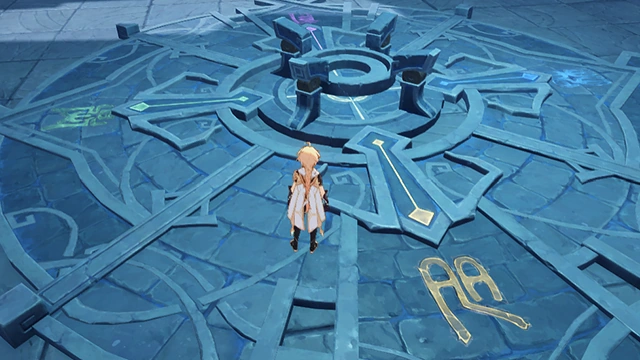 The symbols of the platform will have different colors and images. Matching them together seems to be the key to solving the puzzle. 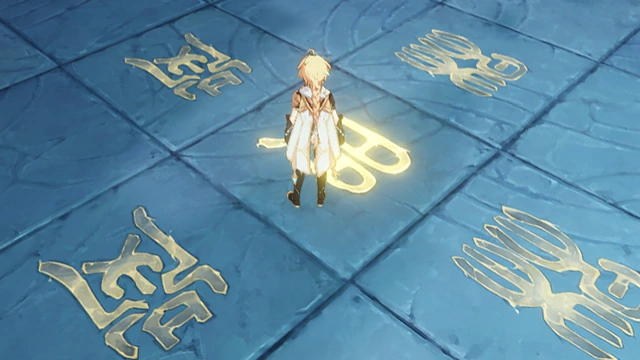 If you step on the correct symbol, it will be activated, but you will take DMG if you step on the wrong one. Search for and activate all the symbols on the platform to solve the puzzle. |
| Ancient Autoharmonic Music Box - Gameplay Tutorial |
Main article: Ancient Autoharmonic Music Box 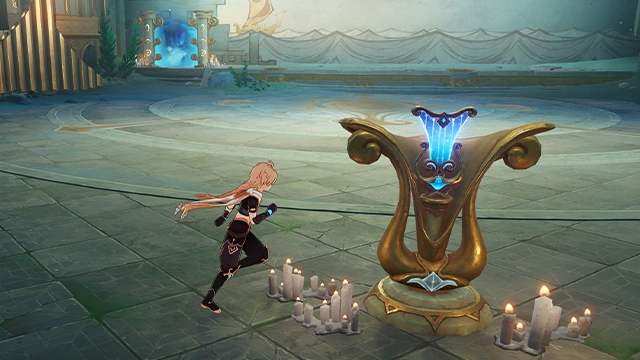 An autoharmonic music box built using some unknown means by an ancient theater troupe that once gathered in the castle. It can be used to read musical scores left behind by an ancient civilization. Place the ancient musical scores you find within it to play the corresponding musical movements.  After you have played the pieces, you can use the music box to play the corresponding music. Each performance will net you valuable rewards. |
| Arcana Challenge - Gameplay Tutorial |
Main article: Imaginarium Theater 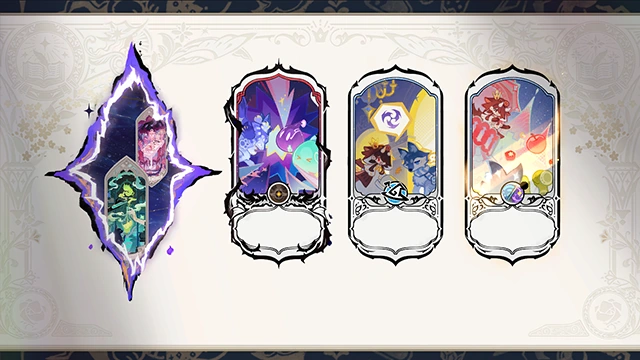 During the performance, after participating characters consume a certain amount of Vigor, Arcana Challenge events will appear, with up to 2 such events being available at the same time. These events will remain available for the duration of the Performance Challenge and will not be affected by your performance progress, allowing you to wait until you are fully prepared before challenging them. 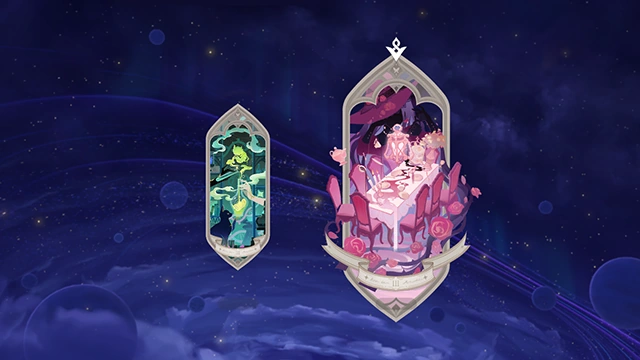 You can gain additional rewards after successfully completing Arcana Challenge events and completing the Act 10 Performance Challenge. Once you have completed all Arcana Challenge events, you can draw Lunar Arcana after completing the Act 10 Performance Challenge. |
| Battlefield Map - Gameplay Tutorial |
Main article: The Surging Darkness 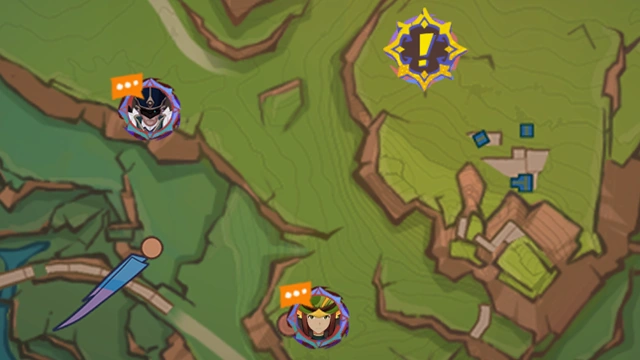 The Scions of the Canopy couriers are conveying battlefield intel. Use the markings on the map to assess the situation in various sectors. Due to Ley Line instability, Teleport Waypoints will be temporarily disabled. 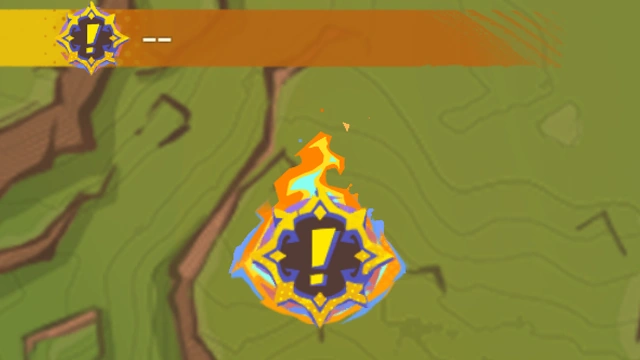 Locations where support is needed will be marked as shown in the image. Press to proceed there. 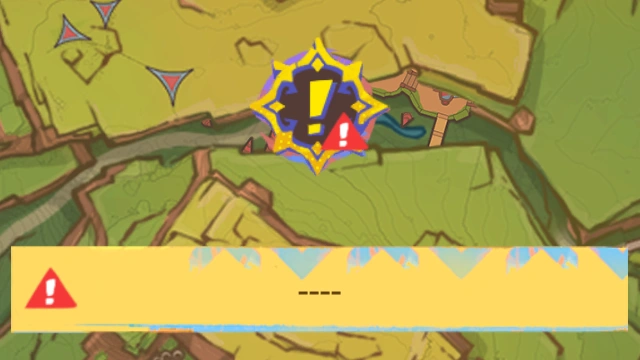 Some emergencies will occur at the same time. You will have to make a choice, and the battlefield will shift depending on your decision. 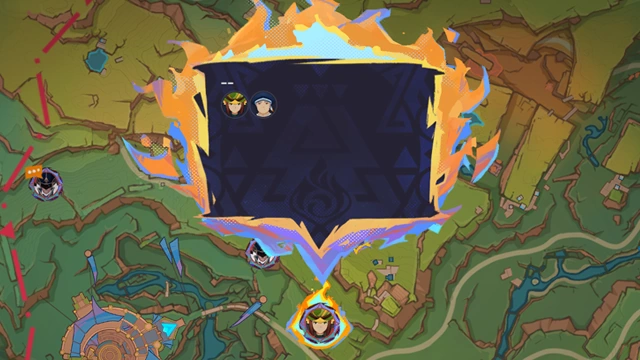 Updates on your companions and additional intel will also be marked on the map. Press to view. |
| Bouncy Mushrooms in Domains... - Gameplay Tutorial |
Main articles: Bouncy Mushroom and Domains 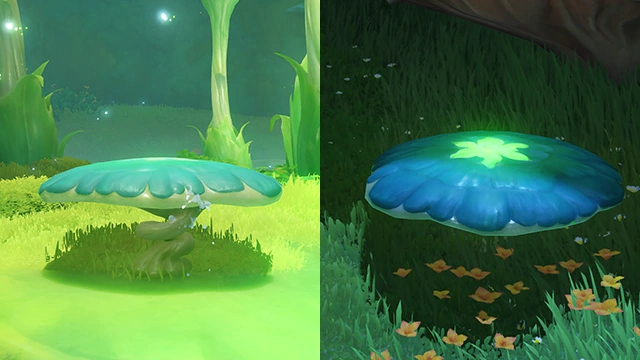 You will sometimes find Bouncy Mushrooms of this sort in Sumeru's Domains. The reasons for which these mushrooms are not one of the Tri-Lakshana Creatures are unknown but must be quite fascinating indeed. |
| Can the Treasure Compass track Shadow Wingdrops? - Gameplay Tutorial |
Main articles: Cryo Treasure Compass and Shadow Wingdrop  Once the exploration ability of the Cryo Treasure Compass has been raised to a certain level in the current area, the compass can also be used to locate yet-to-be-collected Shadow Wingdrops...  If you see a Shadow Realm marking next to a Shadow Wingdrop, it means that you will have to first activate the Shadow Realm nearby before you can obtain it. |
| Case Record |
Main article: Lies Cast Shadows Under Gathered Lights  You can use the Case Record to confirm your current evidence and clue-collection situation and sort case-related information. 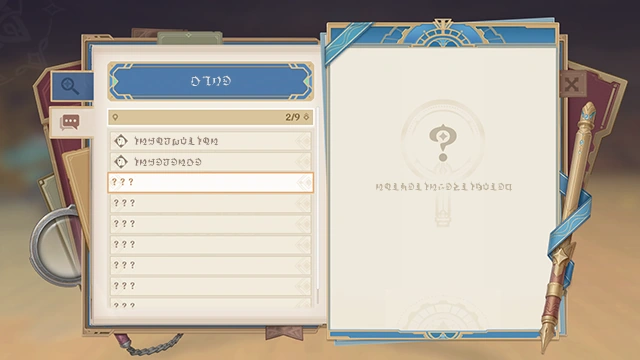 You can check as-yet undiscovered evidence and clues in the Case Record. Then, investigate the corresponding area to locate them. 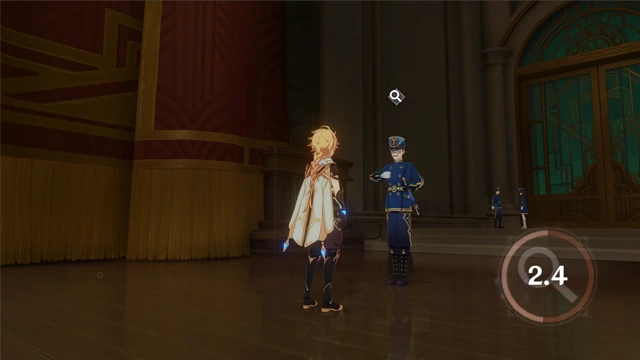 Use the Perception skill to find evidence and clues that can be investigated within a certain radius around yourself. This will advance your overall progress. |
| Crash Course |
Main article: Crash Course 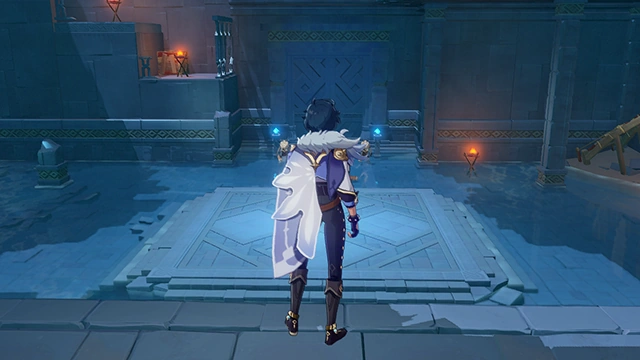 If there is water around, opponents may become Wet. 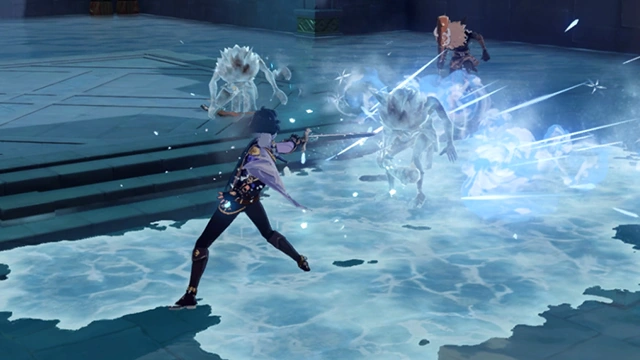 Cryo skills can freeze water, Hydro opponents, or opponents that are Wet. Utilize this elemental reaction to gain an advantage over your opponents. 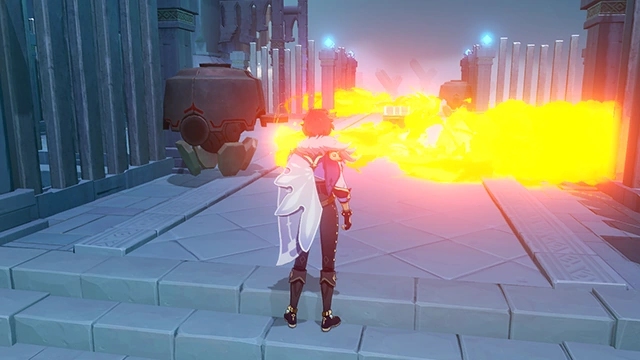 A flamethrower's core is what gives it the energy to shoot fire. 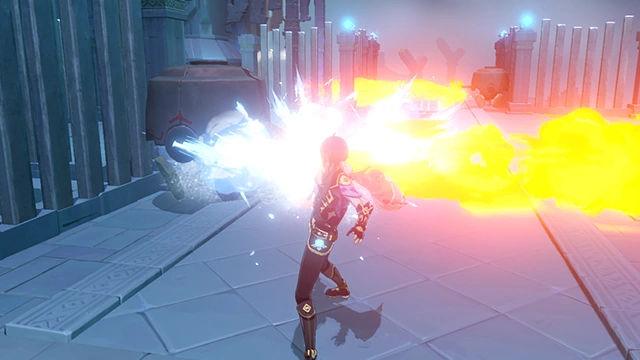 Use Cryo Skills to temporarily disable flamethrowers' cores and stop them from shooting fire. 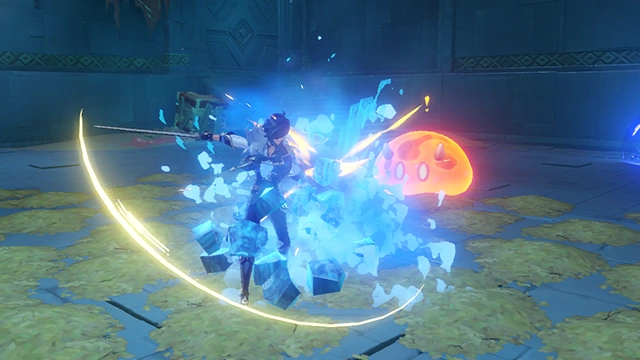 The blue stone in the center of the room is Hydro Amber. Breaking it will make it rain, making everything in its range Wet. 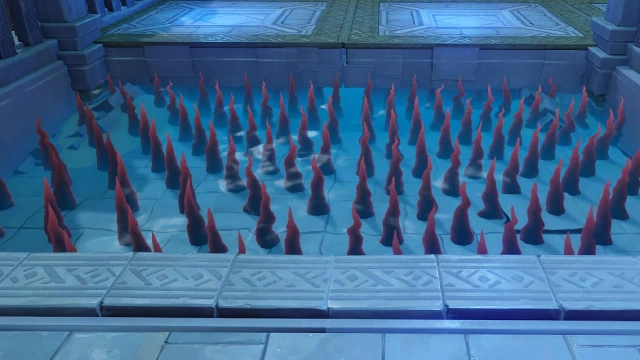 Underwater spikes make the area too dangerous to swim through. 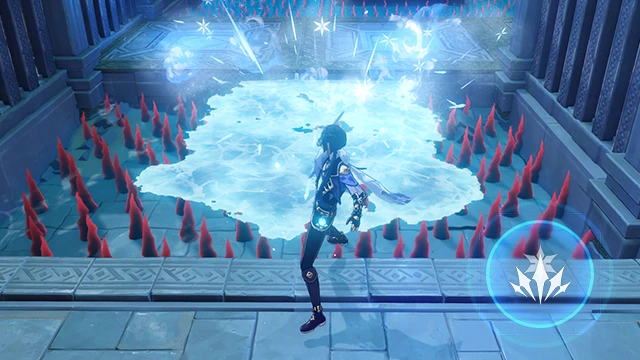 Kaeya's Cryo skill can freeze the surface of the water, creating a safe passage across. |
| Curatorium of Secrets Intel Hunt - Gameplay Tutorial |
Main article: Recorded Intel 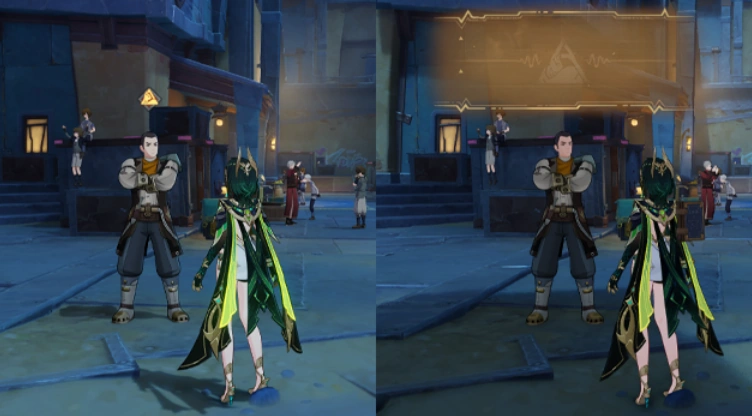 Curatorium of Secrets characters can use their intelligence-gathering abilities to obtain intel from certain Nod-Krai residents. 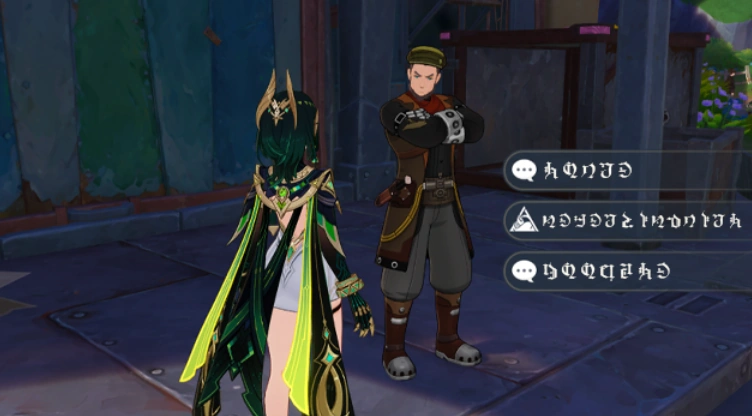 Under certain circumstances, obtaining intel can unlock special dialogue options... 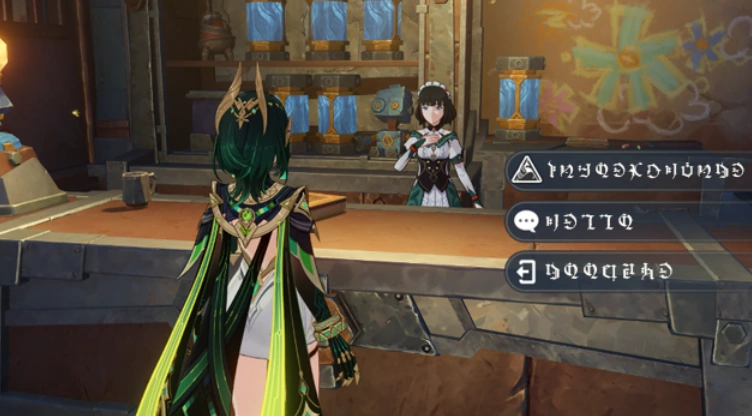 You can obtain up to 6 pieces of intel each week. After obtaining intel, Curatorium of Secrets characters can head to the Adventurers' Guild to trade it with Katheryne for "classified information". 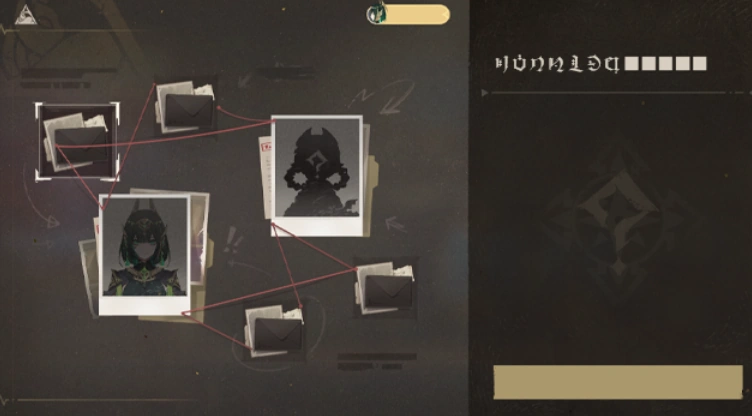 Classified information can be used to unlock new Intel Quests, which can, in turn, be completed to earn rewards and unlock new quests related to Curatorium of Secrets characters. |
| Cycle of Refutation |
Main articles: Lies Cast Shadows Under Gathered Lights and When All Return to the Waters 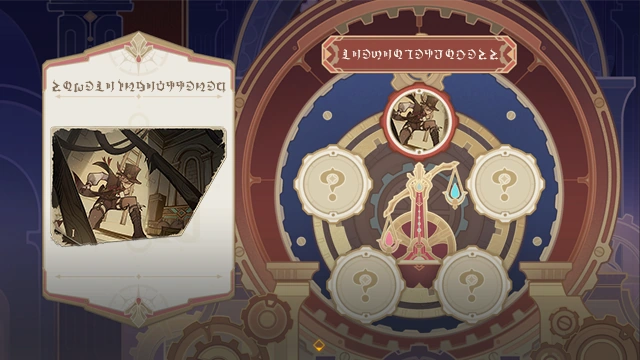 Based on the opposition's account of events, you can identify loopholes in their statement. 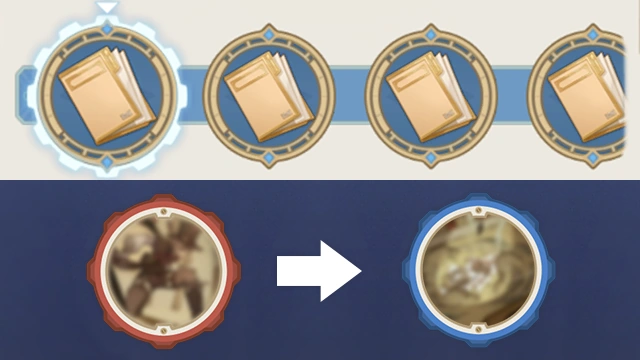 Use evidence and clues obtained during the investigation to refute any erroneous assertions of fact and replace them with new inferences. 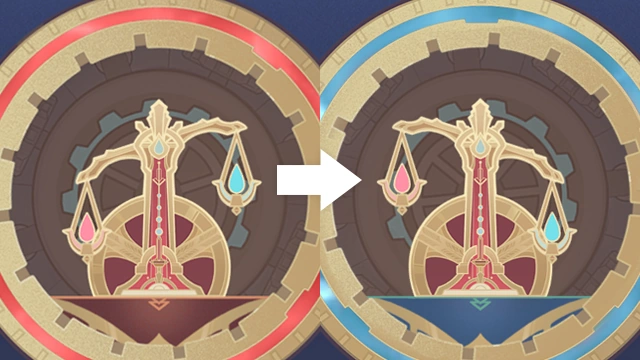 Use your refutations to convince the audience and obtain more support from the people. The Oratrice will display such shifts clearly. 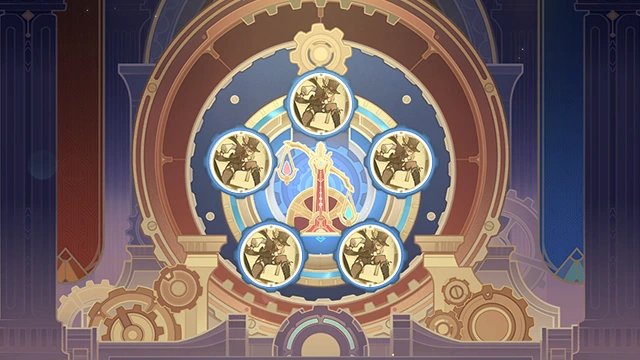 When you find and refute all incorrect content, you can complete the Cycle of Refutation and unveil the truth. |
| Duat Hall - Exploration Knowledge |
Main articles: Scarlet Sand Slate and Duat Hall 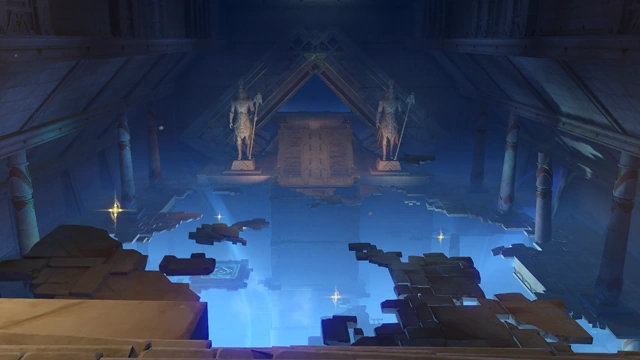 After you visited Khaj-Nisut, the Scarlet Sand Slate gained clearance to proceed to the underground Duat Hall within the Mausoleum of King Deshret. Follow the instructions and step into heretofore untouched territory. |
| Every Day a New Adventure |
Main article: Every Day a New Adventure 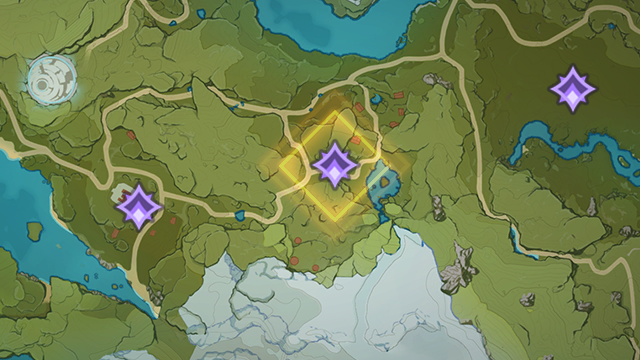 Open the map to see the area with ongoing events. Proceed to an area to learn about the events going on there. The Adventurer Handbook also keeps a record of many things. Check it regularly. |
| Fantastic Compass - Gameplay Tutorial |
Main article: End of the Line (Quest) 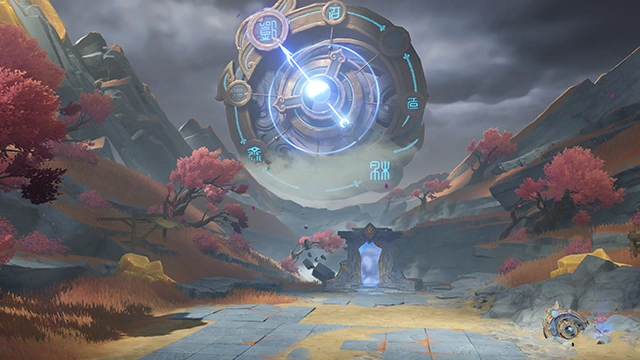 Rotate the needles on the Fantastic Compass to different points to change the time in this area and jump to different times. Your actions in a certain previous point in time may affect the next point in time you jump to... |
| Flamestriders and Spiritways - Gameplay Tutorial |
 Following a fourteenth round of modification Xilonen made at Mavuika’s request, the latter’s flamestrider finally gained the ability to manipulate Phlogiston and travel on Spiritways. As such, Mavuika is able to use Spiritways despite not being from the People of the Springs. |
| Genius Invokation TCG: Editing Decks - Gameplay Tutorial |
Main article: Genius Invokation TCG  Press the Deck button to enter the Edit Menu.  You need to select a set of appropriate Characters and Action Cards to form an effective deck. At the press of a button, you can switch over to edit your Character and Action Cards as well, alloweing you to build a deck of your own design!  A deck needs to have 3 valid Character Cards and 30 valid Action CArds to be set as an active deck. Should any of the cards within the deck fail to meet the criteria for usability, the Casket of Tomes will hint as such to you, so please take note...  Add in the cards you want by dragging them over the avatar at the top of the menu or just slotting them in. Conversely, you can also drag or un-slot them to remove them from the deck as well. Additionally, you can drag Character Cards that are already in a deck to the deck of another avatar to switch the positions of the corresponding Character Cards. Right clicking a card will also allow you to swiftly add or remove it.  You can select the card to review its key details, which allows you to understand not only its effects, but also change its appearance, and see how you can obtain it. You can also add or remove cards while in the details dection. |
| Great Red Sand - Exploration Knowledge |
Main articles: Scarlet Sand Slate and Great Red Sand 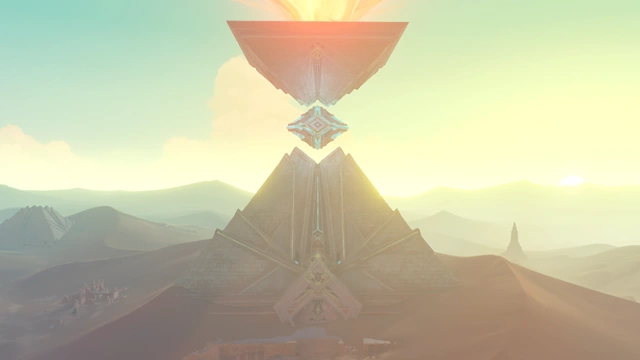 If you obtain all the Scarlet Sand Slate's clearances, every chamber in the Great Red Sand will open and yield up all their secrets and treasures. |
| Home of the Hot Springs |
Main article: Home of the Hot Springs  The power of the Abyss descends upon the world, displaying a rejection of all that is. Targets protected by Void Wards cannot be damaged while defended by it. Only by attacking with Elemental Attacks a certain number of times can it be destroyed. Additionally, Nightsoul-aligned Elemental attacks seem able to destroy Void Wards with greater ease... |
| Icewind Suite Drops |
Main article: Icewind Suite 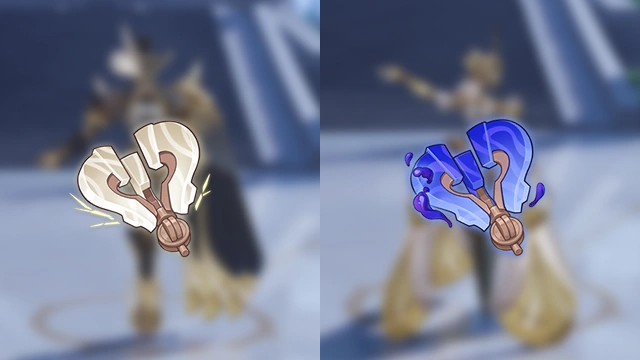 Next up are fantastical performances to be delivered by clockwork meka Coppelia and Coppelius, brought to you by Maillardet. Before you begin the challenge, you must speak with Maillardet and select the play you are challenging: Dirge of Coppelia: A play with the ousia charged clockwork meka Coppelia as the protagonist. Alternatively, in Nemesis of Coppelius, the charge emitted by the protagonist, Coppelius, is pneuma. The eventual resources claimed from the Ley Line Blossom after completing the challenge will also differ based on which challenge you select. |
| Karma-Heavy Cavern |
Main article: Karma-Heavy Cavern  Quest-Specific Effect: As a result of the buildup of divine karma in the area, Xiao will have Bane of All Evil permanently activated, and will constantly lose HP. Additionally, the effects of that divine karma will allow Xiao to regenerate HP when he deals DMG to opponents. |
| Khaj-Nisut - Exploration Knowledge |
Main article: Khaj-Nisut 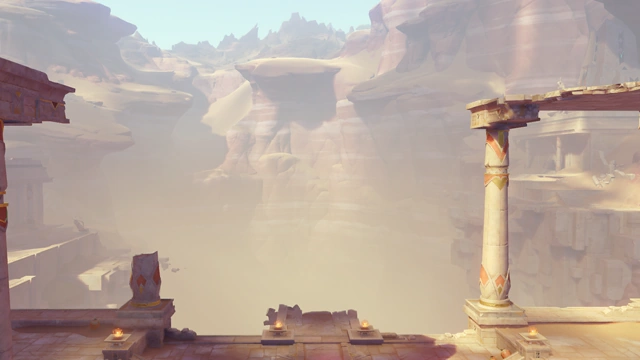 Find the place where Deshret's Wisdom is concealed using the map in Opet Hall. |
| Linnea's Ultra Convenient Quick Arrow (I) |
Main article: Master Adventurer  Linnea can take an Aimed Shot at specific ores to summon Lumi. Lumi will quickly shatter mineral deposits and collect the raw ores. |
| Linnea's Ultra Convenient Quick Arrow (II) |
Main article: Master Adventurer  Linnea can take an Aimed Shot at specific animals to release a special Net. It can capture the essence of these little creatures, before using this essence to manifest the animal's physical form again Additionally, the "Net" can only be used for a limited number of times each week. |
| Logic Chain |
Main article: Lies Cast Shadows Under Gathered Lights 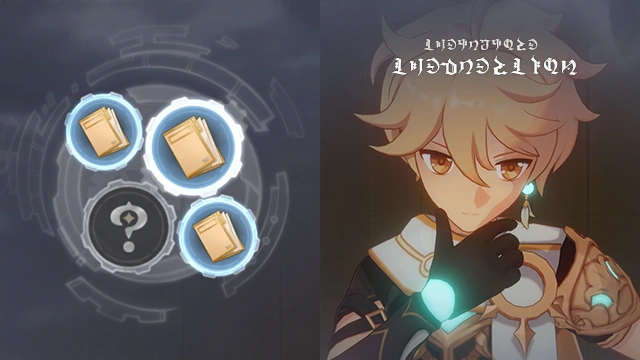 Select the Gear icon(s) in the interface to check the corresponding case questions. 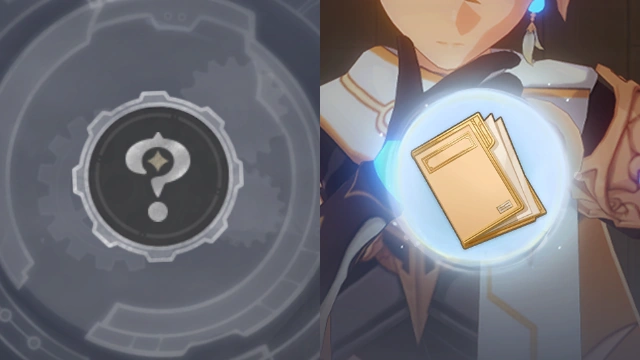 Select answers and fill all the empty Gears to verify the correctness of your deduction. If you have made mistakes, you must make another selection from the remaining options. 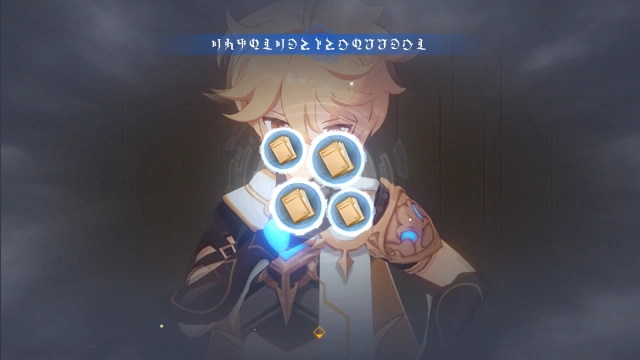 Once you have answered all the questions correctly, you can complete this Logic Chain. |
| Masterless Stella Fortuna - Gameplay Tutorial |
Main article: Masterless Stella Fortuna 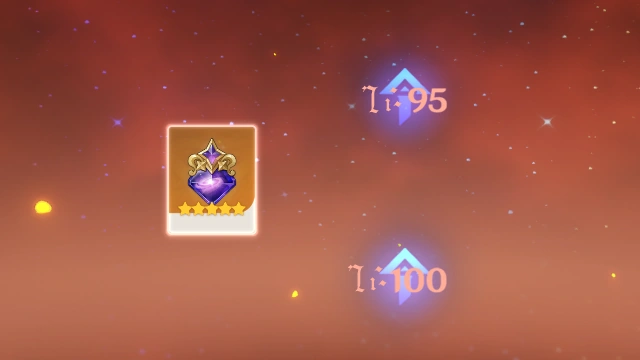 Obtained when you acquire a Stella Fortuna for a 5-star character who is already at Constellation Level 6. Use this item to increase the Ascension Limit of any selected character. |
| Maximum Motivation: Training Challenge - Gameplay Tutorial |
Main article: Leisure Device: Maximum Motivation  The Practice Stakes can be placed anywhere within a limited area and will persist once placed. You can initiate the Practice Challenge at any time. If you can destroy all the wooden stakes in 2s, the challenge will be considered a success.  Interact with the Practice Plaque to check your records. The records will include the day the challenge was attempted and the nickname of the player who attempted said challenge. |
| Multi-Select Mode - Gameplay Tutorial |
Main article: Serenitea Pot 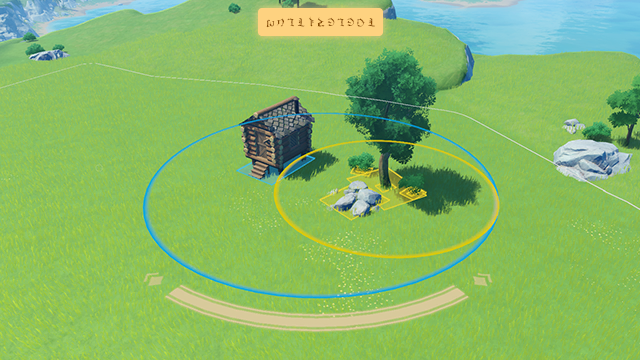 (Mouse & Keyboard) Switch to Multi-Select Mode to select multiple furnishings at the same time.  Hold and drag from anywhere to activate and select all furnishings in the area.  Select multiple furnishings in Multi-Select Mode to move, store, rotate, and create custom sets in bulk. (Mobile) Switch to Multi-Select Mode to select multiple furnishings at the same time.  Hold and drag from anywhere to activate and select all furnishings in the area. Select multiple furnishings in Multi-Select Mode to move, store, rotate, and create custom sets in bulk. (Controller) Switch to Multi-Select Mode to select multiple furnishings at the same time.  Use the controller's shortcut key to activate and select all furnishings in the area.  Select multiple furnishings in Multi-Select Mode to move, store, rotate, and create custom sets in bulk. |
| Natlan! A New Adventure |
Main article: Natlan! A New Adventure 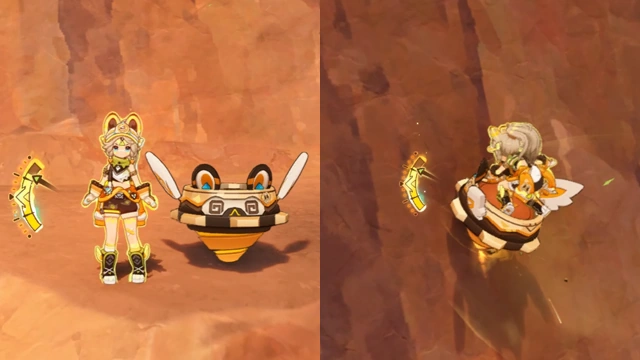 Kachina's become your companion! When she uses her Elemental Skill, she will enter Nightsoul's Blessing and summon Turbo Twirly to fight alongside her. If the Hold Mode of her Elemental Skill is used, or she uses it while Turbo Twirly is on the field, she will ride Turbo Twirly and gain the ability to move and climb quickly. 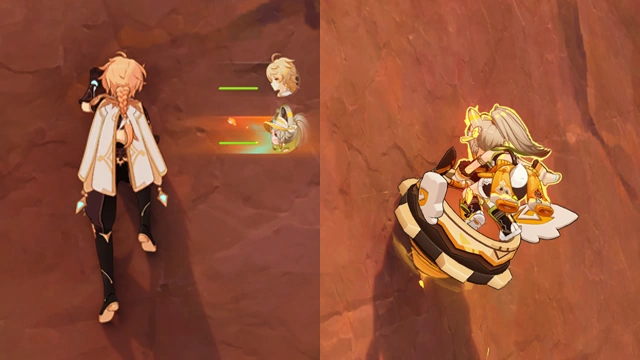 Additionally, when you switch to Kachina while climbing, sprinting, or while in mid-air, Kachina will immediately hop on to Turbo Twirly as she takes the field. This ability is known as Nightsoul Transmission and can only be used in areas within Natlan where Phlogiston Mechanics are present. |
| On the Pulse: Archery Game - Gameplay Tutorial |
Main article: Leisure Device: On the Pulse  When you successfully place the furniture combination known as "Leisure Device: On the Pulse," you may interact with the Activation Plate to start an archery game with a timed mode. When the timer runs out, you will gain points based on the number of balloons you have hit. You can play this game together with friends. Try to get the highest score possible together!  Hit the green balloons to gain a small amount of points and hit the orange balloons to get a large amount of points. When the game ends, you can use the Activation Plate to check the records of the archery game. The Activate Plate only shows data pertaining to the player who started the game. |
| Outrider Style |
Main article: Outrider Style 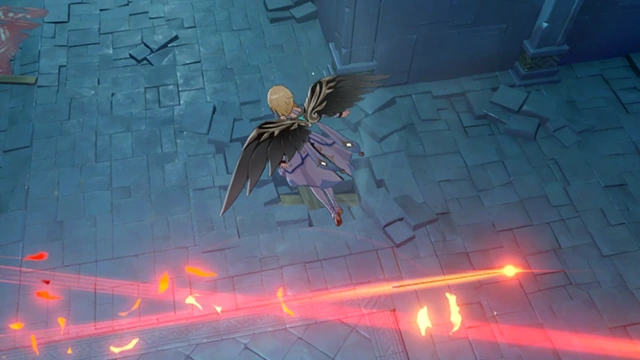 Use the nearby Wind Currents to keep yourself afloat while evading enemy attacks. 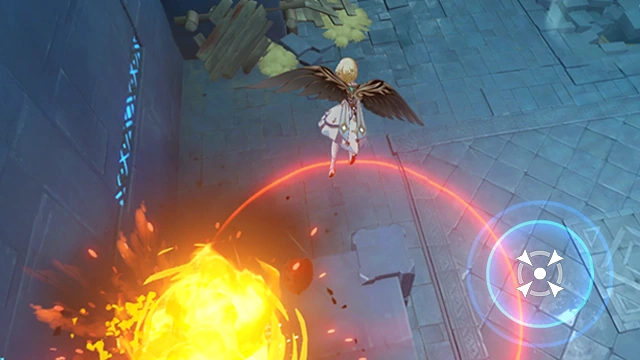 While gliding, you can drop bombs. Defeat all opponents this way. |
| Pagoda Stack - Gameplay Tutorial |
Main articles: Those We Have Lost (Quest) and Hidden Dwelling  You can move only one gear at a time  Smaller gears must stay on top  Move all gears to the other side |
| Pilgrimage of the Return of the Sacred Flame (Quest) |
Main article: Pilgrimage of the Return of the Sacred Flame (Quest) 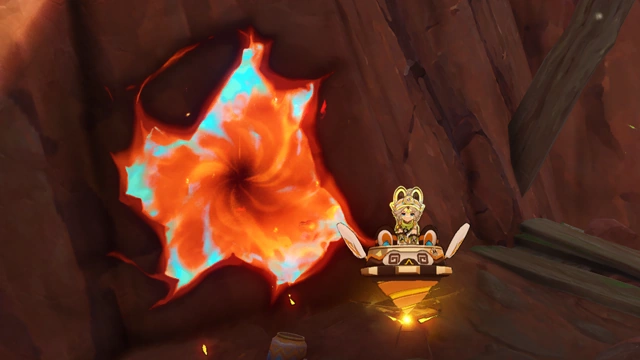 Kachina can enter Molten Fissures and move rapidly. When riding Turbo Twirly, Kachina's climbing speed will greatly increase. Hold her Elemental Skill to ride Turbo Twirly.  While in Nightsoul's Blessing, Mualani can ride Spiritways. Use her Elemental Skill to enter Nightsoul's Blessing. |
| Playing the Ukulele - Gadget |
Main article: Ukulele  Use Chord Notes to swiftly play chords on the Ukulele. |
| Primeval Rosin in Domains... - Gameplay Tutorial |
Main articles: Primeval Rosin and Domains 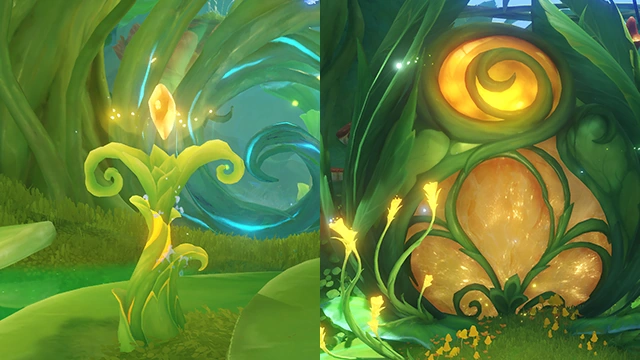 You will sometimes find Primeval Rosin and sealed paths that correspond to them within Domains in Sumeru. Collect 3 Primeval Rosins within these Domains to unlock the corresponding path. |
| Sandrone's Portable Tea Table - Gameplay Tutorial |
Main articles: Sandrone and Sandrone's Portable Tea Table  Open your Inventory and equip Sandrone's Portable Tea Table in the Gadget menu. Then, press the Tea Party Notes button to start a Tea Party. Note: For the best experience, it is recommended that you complete Archon Quest Song of the Welkin Moon: Act X "Of Myriad Paths, Flux, and Dissolution" as well as "Sunny Summer Fontinalia" before unlocking the Tea Party storyline.  In the Tea Party Notes screen, you can select the character you wish to invite to your Tea Party and send them an invitation.  After sending an invitation to a character, follow the prompts and head to a suitable location. Then, simply place the gadget "Sandrone's Portable Tea Table" and have Sandrone take her seat to start the Tea Party.  Find the location that fits the quest description inside the yellow circle indicated to place the tea table and have Sandrone take her seat to start the Tea Party. You can revisit completed Tea Parties in "Tea Party Notes." |
| Sending and Receiving Prime Ice Constructs... - Gameplay Tutorial |
Main article: Prime Ice  You will come across various Prime Ice Constructs fabricated by other Travelers while exploring Snezhnaya daily. You can choose to reinforce a Prime Ice Construct created by others so that it remains for a longer time. And if you've found a Prime Ice Construct helpful, why not leave a like for it too?  In "Construct Details," you can also enable the option to send your Prime Ice Construct to others, as well as allow Prime Ice Constructs fabricated by others to appear in your world. |
| Sparks Amongst the Pages |
Main article: Sparks Amongst the Pages 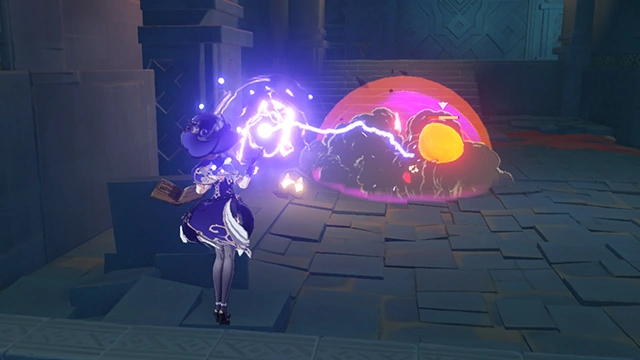 When Pyro comes into contact with Electro, an Overloaded explosion will be triggered. 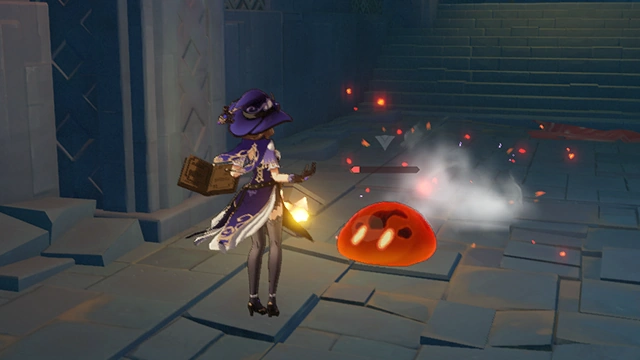 Use Electro skills to trigger Overloaded explosions on Pyro Slimes and extinguish them. 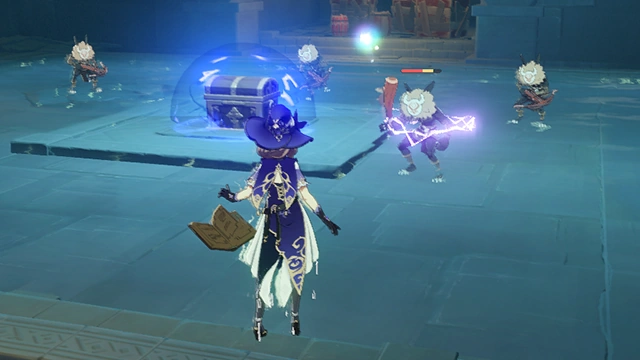 When Hydro comes into contact with Electro, Electro-Charged will be triggered. 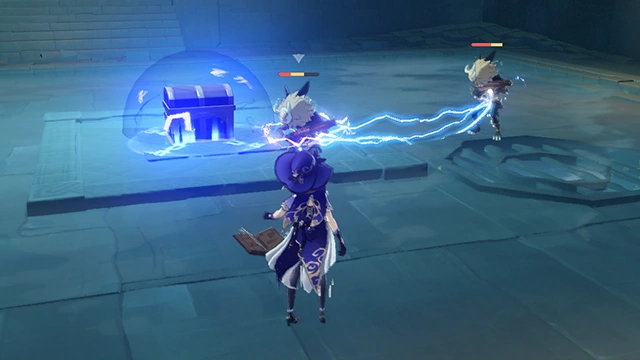 Electro-Charged opponents may cause Electro damage to nearby Wet opponents, dealing significant Electro DMG. 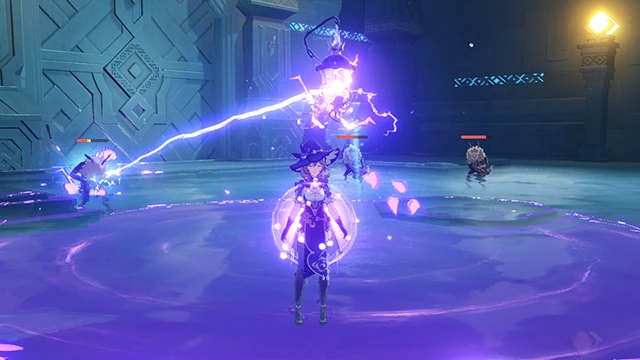 Lisa's Elemental Burst Lightning Rose automatically deals damage to opponents in a wide area. 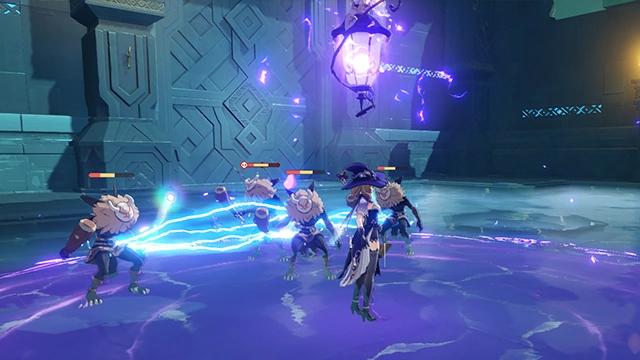 Utilize Electro-Charged to give Lisa an advantage near water. 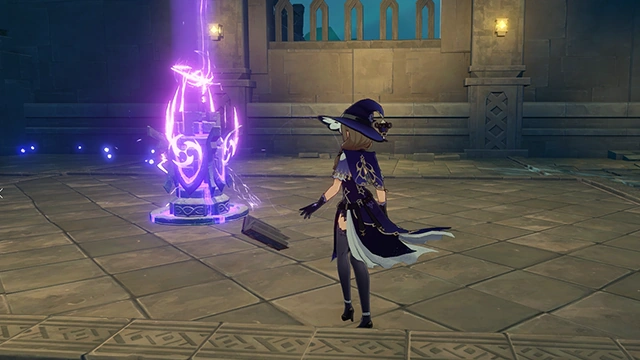 Lisa's Elemental Skill can be unleashed by (pressing/tapping), or charged by holding. 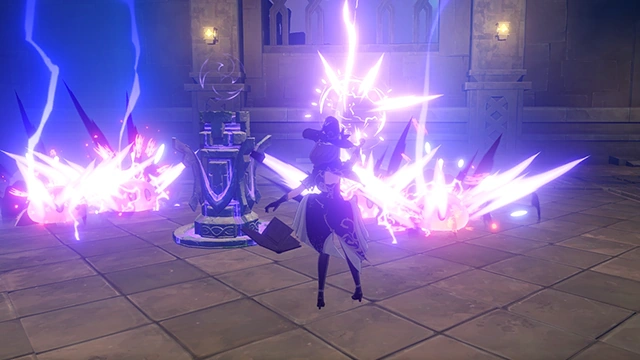 When the skill is fully charged, releasing it unleashes an area attack, dealing massive Electro DMG. |
| Speedy Rhythm: Scoring - Gameplay Tutorial |
Main article: Speedy Rhythm  After placing the "Flash Step" component of the "Speedy Rhythm" series of furnishing combinations and ensuring that the furnishing combination is complete, players and small animals can step on "Flash Step" for a short while until it lights up, after which the "Speedy Rhythm" furnishing combination of the matching color will record 1 point being scored. No points will be scored for stepping on Flash Step again within the next 2s. 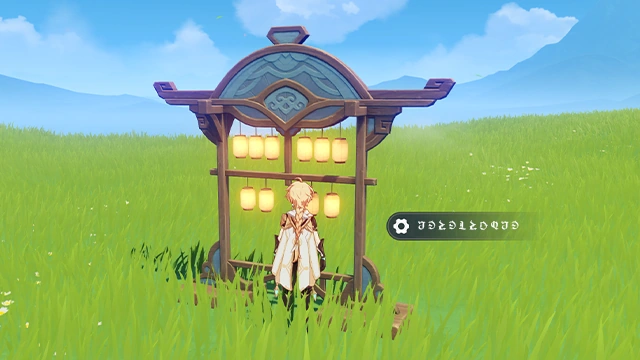 Whenever a "Speedy Rhythm" furnishing combination scores a point, a lamp on the "Scoreboard" will light up. This furnishing combination can record 10 points at most. When all the lamps are lit, the score can be reset, which will restore the "Scoreboard" to its original state. |
| Spirit Carp and Votive Rainjade... - Gameplay Tutorial |
Main article: Rainjade's Benediction 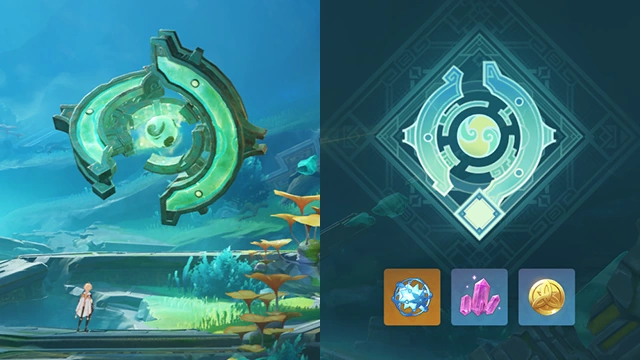 Fujin's adeptal energy has transformed into many Spirit Carp that are scattered all over Chenyu Vale. Collect the energy within Spirit Carp and transfer it into the Votive Rainjade within Carp's Rest to increase its level and obtain the blessings of Chenyu Vale. 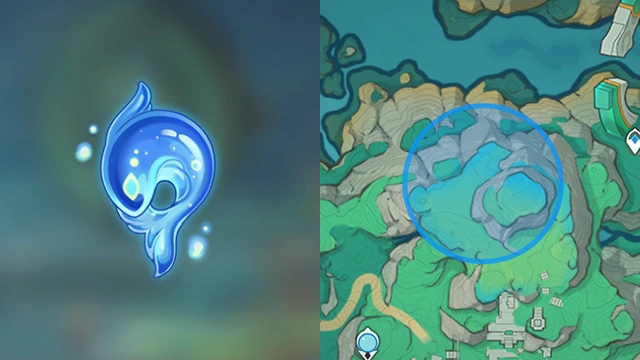 When you have collected 40 Spirit Carp, you will receive the Votive Rainjade's revelation, which will mark the locations of the remaining Spirit Carp. |
| Swipe to Select Artifacts |
Main article: Artifact 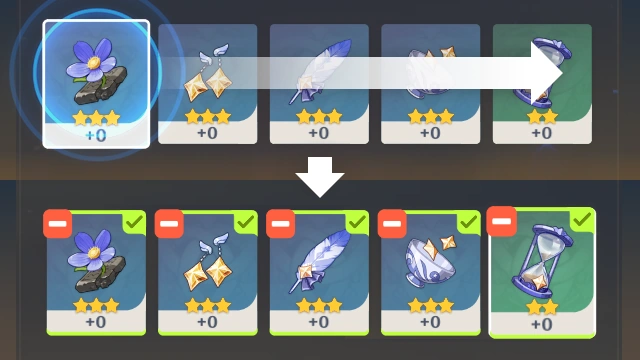 Swipe to quickly select multiple Artifacts. 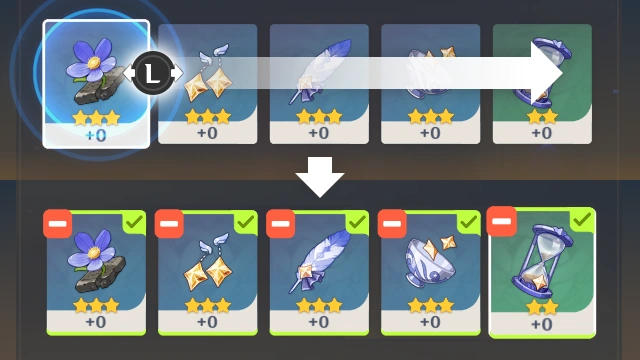 (Controller) Hold the selection button to use the group function to quickly select multiple artifacts |
| Switch Element |
Main article: Element 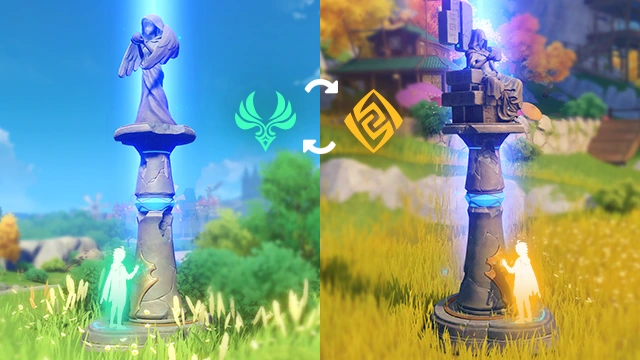 Resonate with Geo at the Statue of The Seven in Liyue to convert your element to Geo, and acquire Geo Elemental Skill and Elemental Burst. Return to the Statue of The Seven in Mondstadt and resonate with Anemo to reacquire Anemo abilities. |
| The Continuation of the Sabzeruz Festival |
Main article: The Continuation of the Sabzeruz Festival 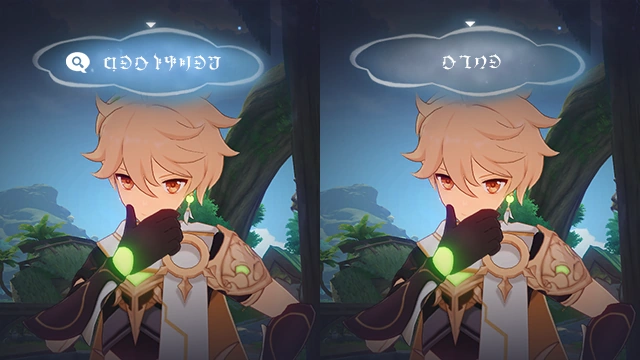 When you enter a state of Contemplation, you can choose any text entry to interpret it. This interpretation process involves analysis of the text entry and may yield new entries. Once interpreted, you may submit that text as a conclusion.  Some text entries can be associated with one another once intepreted. Select Associate to choose the other text entry, then select Trigger Association. You can gain new text entries by performing accurate associations.  If one of the text entries on the current page can be used as a conclusion, then select that entry before choosing Submit Conclusion. |
| The Last Turnfire Night |
Main article: The Last Turnfire Night  Go to the altar to obtain kindling of the Sacred Flame. 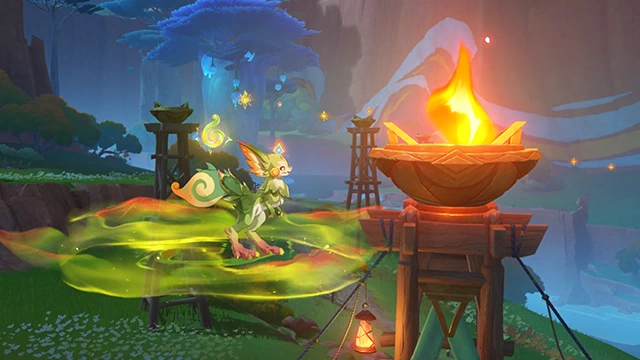 Once you obtain the Flame, draw close to a brazier to ignite it.  The ritual has a specific order to it. Pass the Sacred Flame according to the fixed order, or fail.  Head straight toward the ritual's end. Turning back now will spell naught but failure. |
| The Little Witch's Dictionary - Gameplay Tutorial |
Main article: The Little Witch's Dictionary  Complete Witch's Homework-related quests to unlock additional Talents for the corresponding characters. Certain characters' skills and constellation effects will also change.  Each Witch's Homework Quest is focused on a specific character. Obtain the corresponding character and increase their level to Lv. 70 to unlock their related quest. |
| The Outlander Who Caught the Wind |
Main article: The Outlander Who Caught the Wind 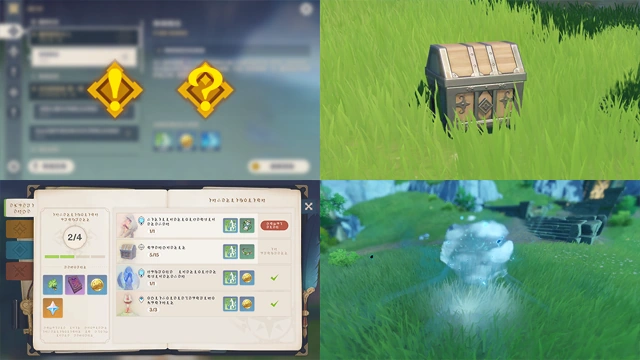 There are various ways to obtain Adventure EXP and raise your Adventure Rank. Whether it be completing various Quests, looking for chests, completing investigations in your Adventurer Handbook, revitalizing Ley Line Blossoms... 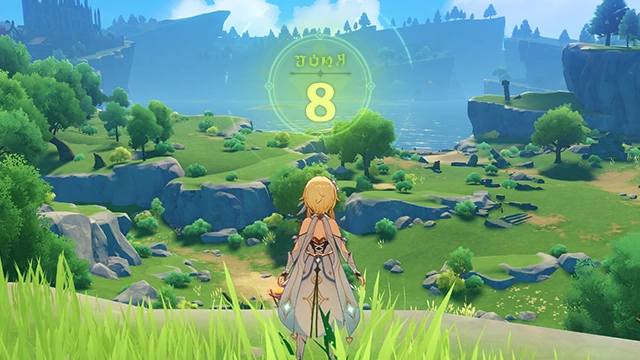 ...You can obtain Adventure EXP from these activities and increase your Adventure Rank. More challenges and opportunities will also open up to you as your Adventure Rank increases. |
| The power of music... - Gameplay Tutorial |
Main article: Vintage Lyre 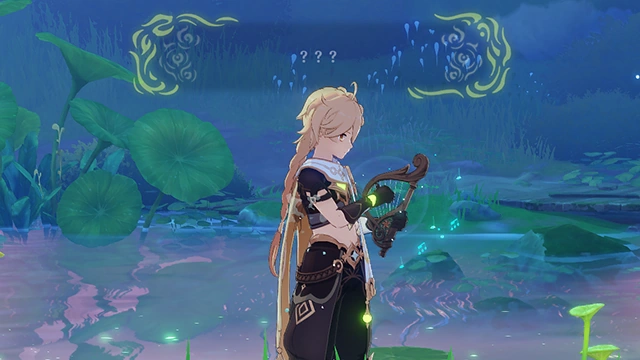 Use the Vintage Lyre in the forest to play songs with mysterious power and realize their special effects. That said, these songs share a relationship of correspondence to certain objects. You will have to match the appropriate songs to the right objects for this to work out. |
| The Riddle of Sea and Sky |
Main article: The Riddle of Sea and Sky  When doing a Spiritway challenge, you can Jump to switch to adjacent tracks. When close to another track, Jump while holding down the directional movement control to switch tracks. |
| Time Trial Game - Gameplay Tutorial |
Main article: Leisure Device: Rhythmic Sprinter 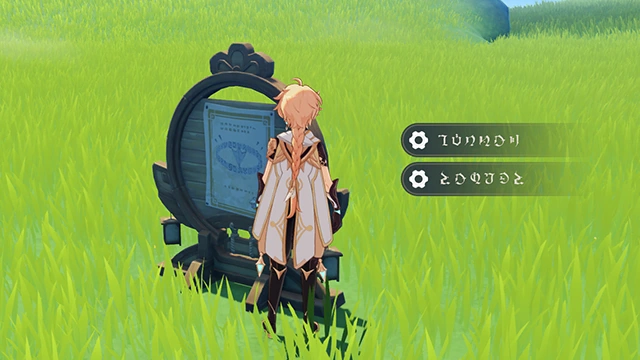 After you place the "Leisure Device: Rhythmic Sprinter" Furnishing Set, you may interact with the Activation Panel to begin the time trial game mode. Interacting with the Activation Panel will also allow you to view the game records, the nicknames of participating Travelers and when they posted their timings. The Activation Panel only records data on the winner of any given time trial. 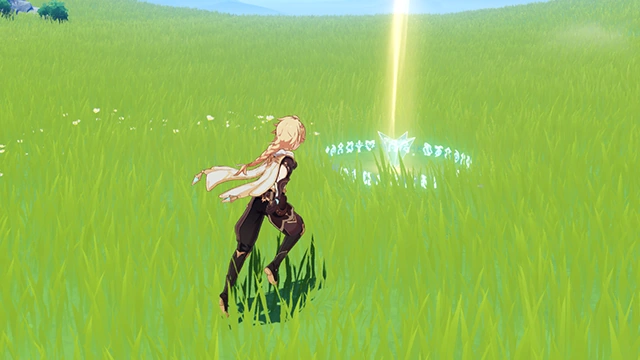 When the game begins, the Destination Ring will be clearly displayed up top. When the first player reaches this ring, they win the game and both the timer and the game will stop. The host can also interrupt the game midway. Once the game has begun, players who enter the world partway through will not be able to take part. |
| Travel Accounts - Gameplay Tutorial |
Main article: Travel Accounts  After obtaining the Travel Accounts, you can record all sorts of interesting stories relating to your companions. You can encounter companions in all corners of the world and listen to the thrilling tales they have to tell. As your journey progresses, the companions you might encounter and the Anecdotes they tell will steadily increase.  Most Travelers' Tales will be marked on the Map. Once you get close to your companions, they will also be displayed on the mini-map. 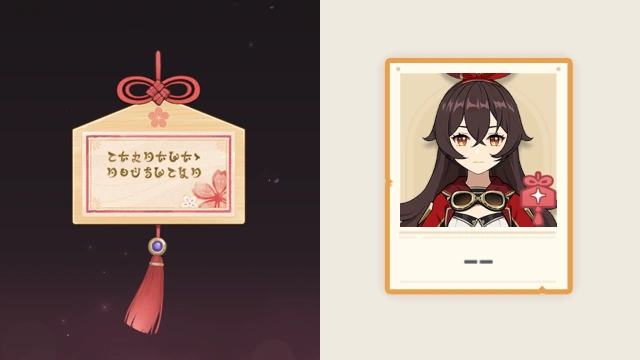 By harnessing the power of Destiny Drawn, you may be able to see your friends much sooner... |
| Twilight Theater - Gameplay Tutorial |
Main article: Summertime Odyssey  Interact with the noticeboard at the entrance to the theater to prepare for the theatrical performance.  Speak to the Night Raven Statues to decide which "actors" are needed for the show.  Listen to the narrator's hints to ascertain the actors needed again.  Help the Night Raven Statues that will serve as actors to take the stage by placing them at the correct positions to begin the performance. |
| Unexpected Encounter |
Main article: Unexpected Encounter 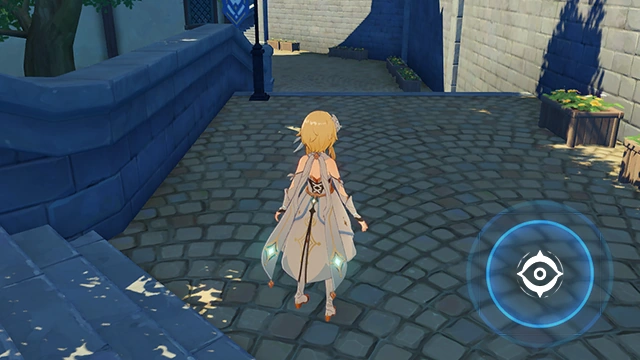 Use Elemental Sight to scout out the elemental attributes of nearby entities.  The Green Fellow left Anemo footprints. Track him down. |
| Venti's New Plan |
Main article: Venti's New Plan 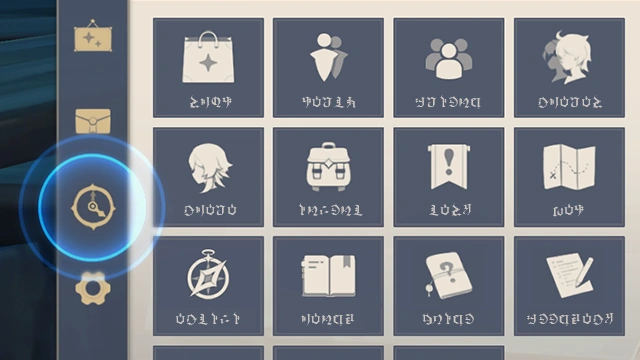 Enter the Time Menu. 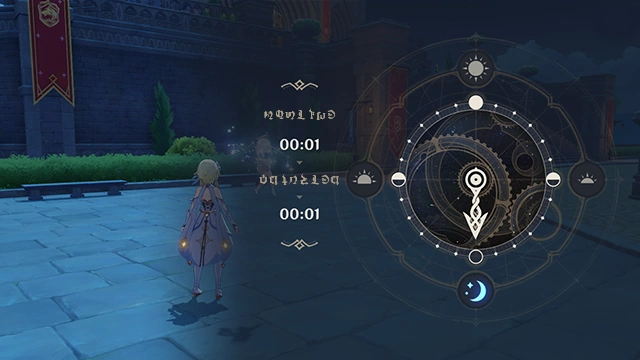 Move the hand to the time you want to wait until and press Confirm |
| Verification |
Main article: Apocalypse 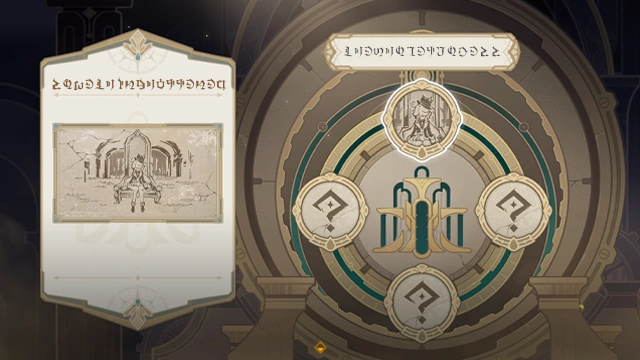 Select to check the descriptions on the stone slates to extract key information from them. 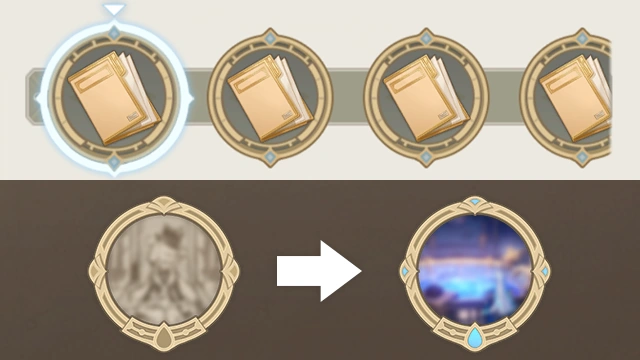 You can find scenarios related to the stone slates' contents in the incidents recorded in the interview notebook. There, you can verify said content. 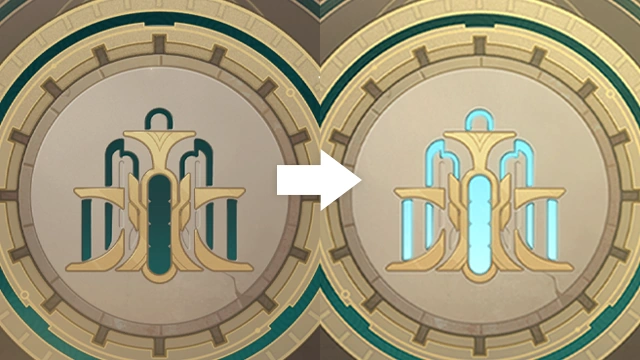 As the verification process continues, the fountain water level in the menu interface will rise. 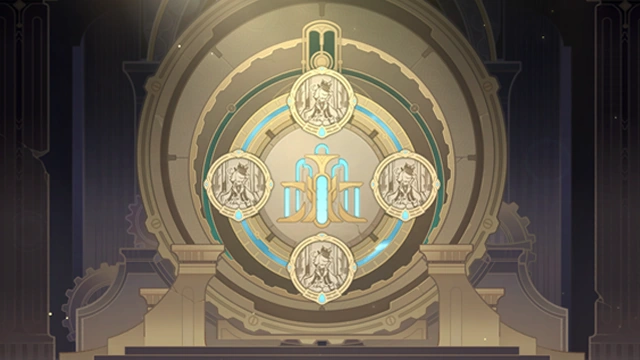 When you have finished verifying all the stone slates, the truth behind the prophecy shall be revealed. |
| Wanderer's Trail |
Main article: Wanderer's Trail 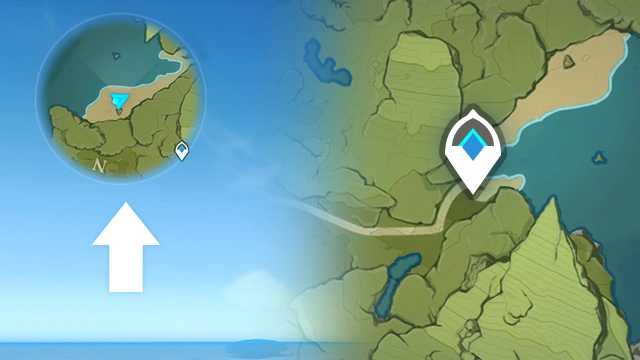 1. Open the world map. 2. Select an unlocked Teleport Waypoint to teleport to that location. |
| Winds of the Past |
Main article: Winds of the Past 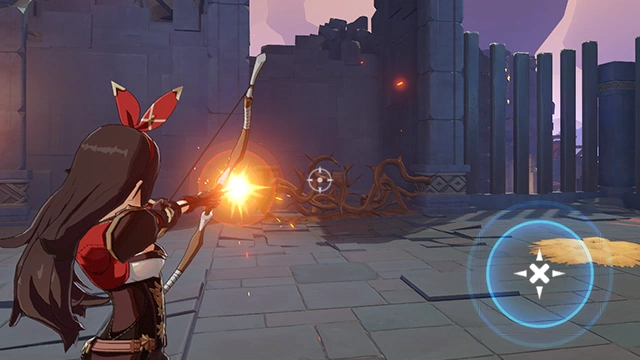 Amber has the ability to aim and shoot. While aiming, her arrows will accumulate charge. Once fully charged, the arrow will be imbued with Pyro. 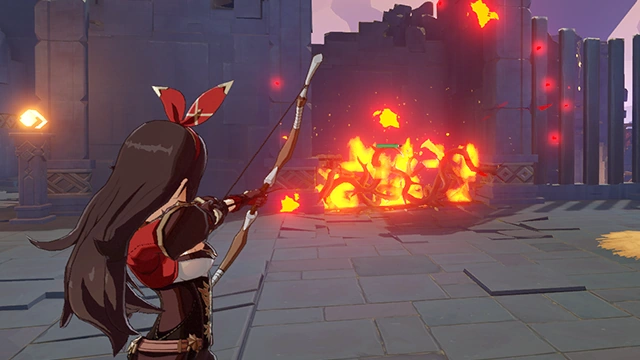 Use Pyro Skills to ignite combustible objects. 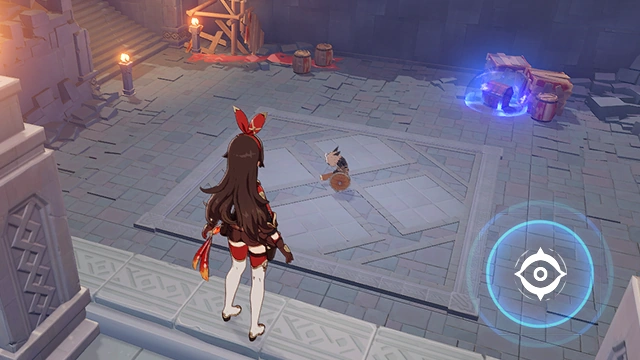 Use Elemental Sight to see the elemental attributes of different objects. Each element has its own color. 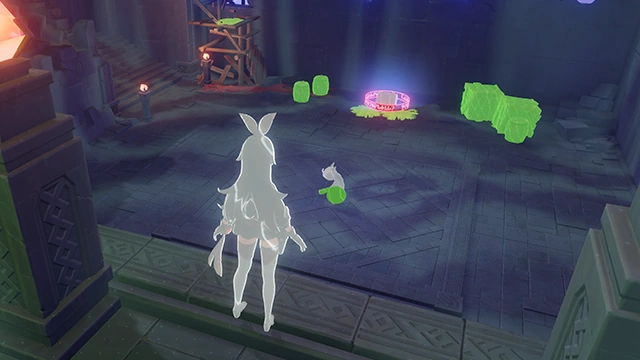 Green symbolizes Dendro, which can be ignited by Pyro.  Opponents' wooden shields are attributed to Dendro, which can be ignited with Pyro Skills, rendering them defenseless. |
| Wolves' Territory |
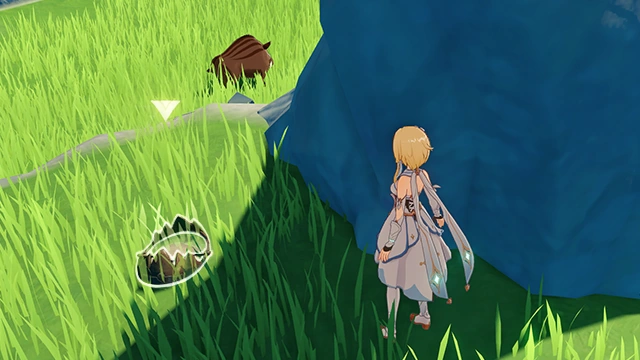
Main article: Wolves' Territory 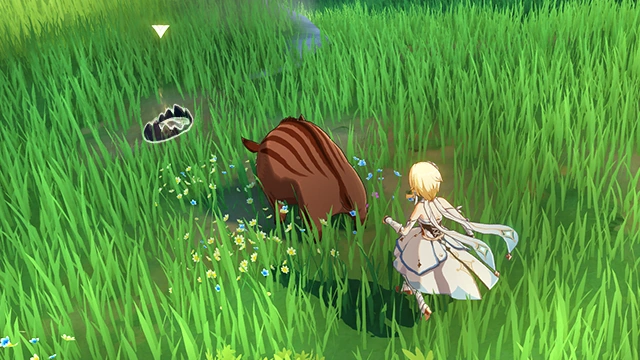 Hunting Traps cannot attract boars, but boars tend to avoid people and run away in the exact opposite direction. Use this to your advantage to ensnare them with the traps to get more raw meat. |
| Workshop's Trove - Gameplay Tutorial |
Main articles: Knuckle Duckle and Krumkake Bolt 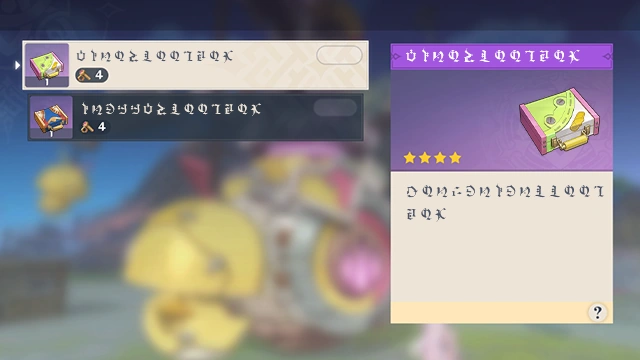 Only characters from the Clink-Clank Krumkake Craftshop can open the Workshop's Trove that Knuckle Duckle guards. Exchange Krumkake Bolts gained while exploring for marvelous items exclusive to Aino and Ineffa. 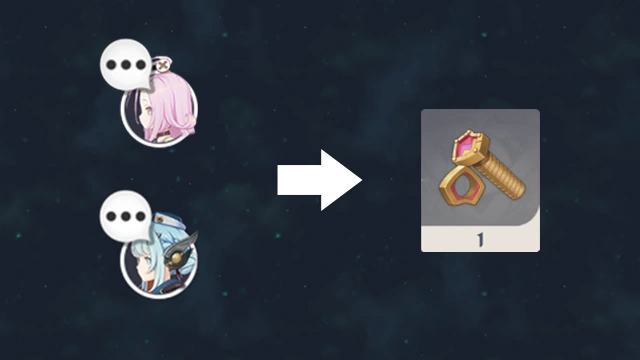 You can receive 1 Krumkake Bolt each for encountering Aino and Ineffa a certain number of times in Character Anecdotes. 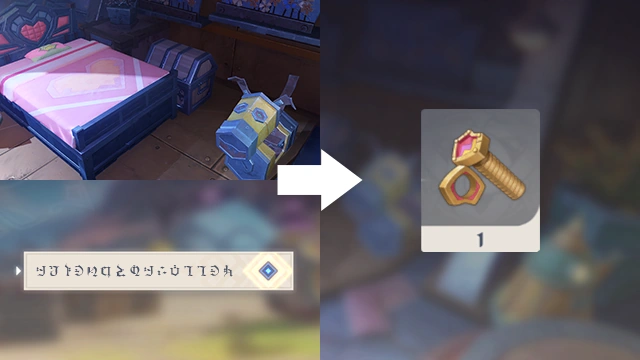 You can receive 1 Krumkake Bolt each for exploring the Clink-Clank Krumkake Craftshop and Kuuvahki Experimental Design Bureau, as well as completing the World Quest "Friends of Moleyvalley." 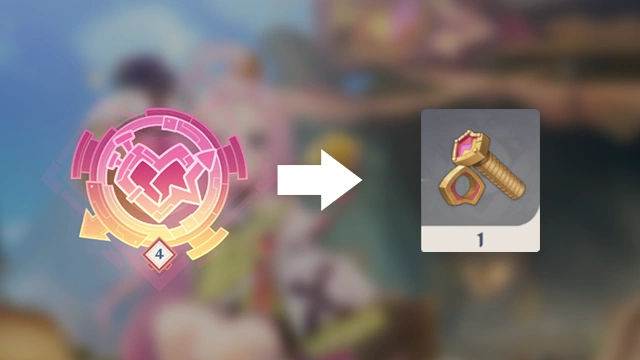 You can receive 1 Krumkake Bolt for upgrading Aino's Krumkake Craftshop Console to Level 4. |